





















































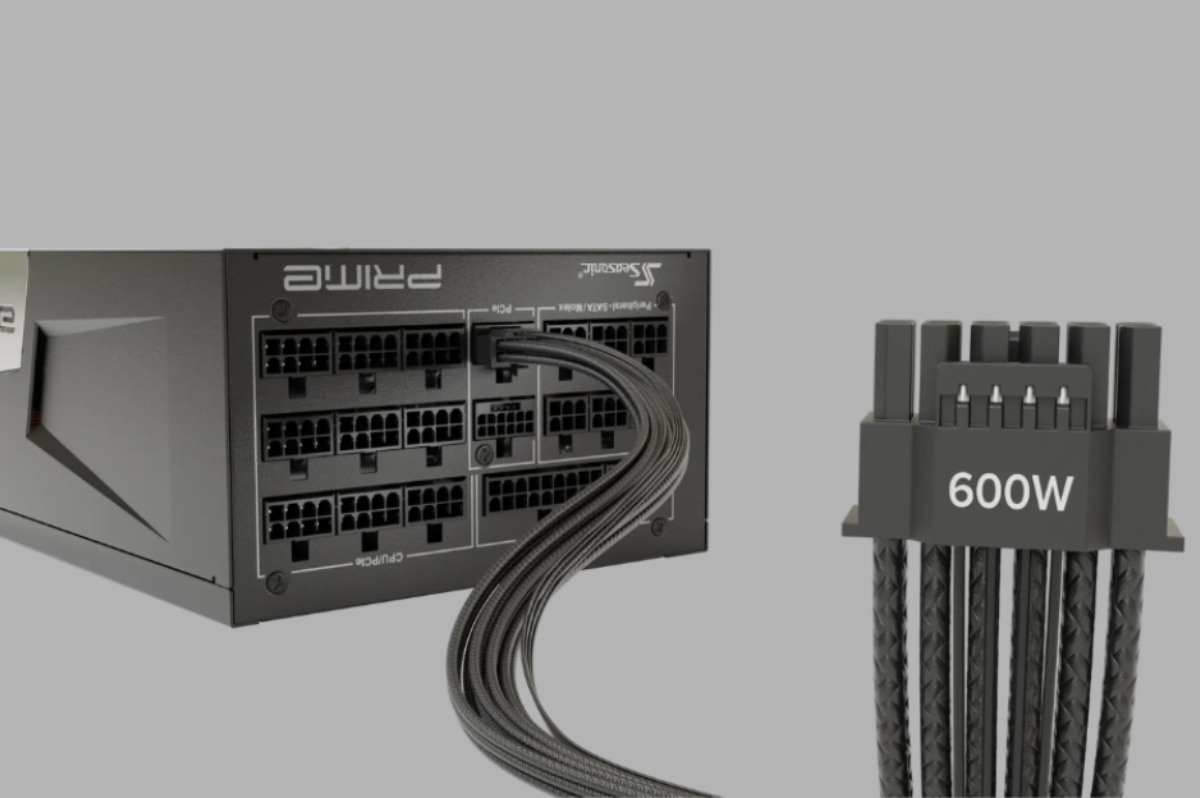
ATX and SFX power supply form factors
ATX power supply is the standard size for desktop PCs. It’s bigger, offers better cooling, and supports higher power output, so it’s commonly used in gaming PCs, workstations, and powerful systems. ATX measures: 150 mm × 140 mm × 86 mm. It is commonly used in larger systems with sufficient internal space.
SFX power supply is a smaller version of a standard ATX PC power supply, designed for compact PC cases such as mini-ITX or microATX. It takes less space but operates as effectively as the bigger ones. SFX measures 100 mm × 125 mm × 63.5 mm, making it 30% smaller in volume. Such PSUs are ideal for small form factor cases with limited space for additional components.


How power supply calculators estimate system power consumption
PC wattage calculator estimates system power consumption by summing the typical and peak power consumption of each component and adding a power margin. To start, you need to input data on your system components’ power requirements to get the final figure – CPU, GPU, motherboard, storage drives, and fans. It’s important to include their peak values so the PSU can handle the load when all components push the system to its maximum.
Typically, PSU calculators use databases with average figures for various hardware configurations and take into account the type of load (gaming, rendering, AI tasks). Such models as the Seasonic one add a 20–30% margin for power spikes for users’ convenience and more accurate results.
Why can the form factor affect the power calculation accuracy?
Form factor can affect calculation accuracy because it defines the PSU’s physical limits – component size, cooling capacity, and stable power output under load.
Compact formats like SFX usually have less thermal headroom and can lose efficiency under heavy load, especially in tight or poorly ventilated cases. That means real stable output can be lower than the rated numbers.
ATX power supplies, on the other hand, usually offer better cooling and more power headroom, so they stay more stable during peak loads. Because of this, power calculators tend to be more accurate for ATX than for compact PSUs.
Thermal limitations and efficiency differences between ATX and SFX power supplies
Since ATX power supplies are larger, they have better airflow and more efficient heat dissipation. That’s what helps them handle heavy loads for longer without overheating, while staying stable and relatively quiet. The components that it holds within support greater system performance.
SFX power supplies are much more compact, so heat builds up faster, and the fan usually has to work harder. With less thermal headroom, they can lose efficiency more quickly under peak loads, especially in poorly ventilated cases. That’s why they cannot handle extreme loads but are perfect assistants for office or simple daily tasks.
Power surge, intermittent loads, and small form factor issues
Power surges and short load spikes can briefly push power consumption above the system’s average. A high-quality PSU should handle these smoothly without voltage drops or restarts. As a rule, such cases arise from the GPU side as it produces short spikes in moments when it handles heavy scenes while gaming or streaming.
In SFX form factors, these spikes are harder to manage because of limited power headroom, tighter cooling, and higher heat density. This way, stability under sudden loads can be lower compared to full-size ATX units.
Common power supply calculator mistakes for mini-ITX and small form factor builds
Common power calculation errors in mini-ITX and SFF builds include:
- underestimating real GPU power spikes,
- assuming SFX units perform like ATX under sustained load,
- ignoring the lower thermal headroom in compact cases,
- overlook airflow limitations, which can reduce real-world efficiency and stability in small enclosures,
- not adding enough safety margin for transient loads, especially in systems with high-end CPUs and GPUs packed into tight spaces.
Choosing the right wattage for ATX and SFX gaming and workstation PCs
For ATX gaming PCs and workstations, PSU size is usually chosen based on GPU performance and future upgrade headroom. There are around:
- 450W–650W for entry-level systems,
- 650W–850W for mid-range,
- 850W–1200W+ for high-performance gaming, workstations, and AI workloads.
For SFX builds, you need a more conservative approach. Because even with similar ratings, you need more headroom because of weaker cooling and lower thermal reserve. Typically, that means:
- 600W–850W for gaming SFF builds,
- up to 1000W for high-performance compact systems.
How to minimize power calculation errors and ensure system stability
Check these points:
- Add a 20–30% power headroom to your calculations if the calculator doesn’t support this option.
- Account for peak CPU and GPU loads, not just average usage.
- Choose a high-quality PSU with real, verified output under real scenarios.
- Make sure it supports ATX 3.1 for modern GPUs.
- Consider the form factor (ATX is generally more stable than SFX).
- Avoid running the PSU at 90–100% load for long periods.
- Always plan for future upgrades when calculating PSU power capacity.
Conclusion
So, when choosing a PSU, it’s important to look beyond the rated power and consider real-world operating conditions. Form factor is one of the points to look at, as it affects the required headroom and overall stability under peak loads.

David Prior
David Prior is the editor of Today News, responsible for the overall editorial strategy. He is an NCTJ-qualified journalist with over 20 years’ experience, and is also editor of the award-winning hyperlocal news title Altrincham Today. His LinkedIn profile is here.