


















































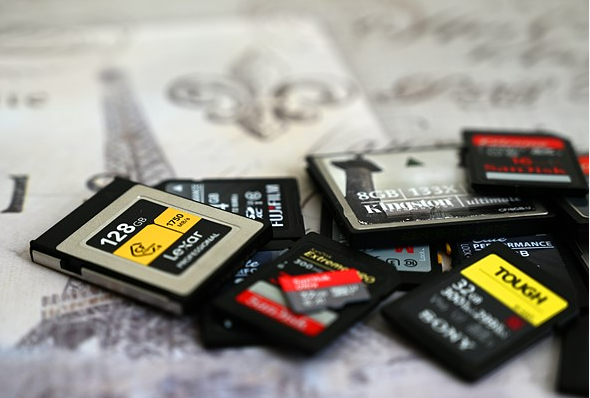
Ford vehicles equipped with factory‑fitted navigation rely on SD cards or map‑media modules to store road data, speed‑camera locations, and points of interest (POIs).
Over time, these maps can become outdated, leading to missed exits, incorrect addresses, and poor routing.
A matching SD card with the latest map update restores accurate guidance without replacing the head‑unit or switching to a smartphone‑based app.
What Ford Navigation SD Cards Do
Ford navigation systems of the 2010s and early 2020s use SD cards or proprietary map media to store map data for the region originally installed at the factory.
On many models, the same SD‑card slot also accepts updated cards that contain the latest street changes, roundabouts, and new roads.
Updating the card usually means: removing the old SD or map disc, inserting the new card, and letting the head‑unit read the data on the next ignition cycle.

Why Outdated Maps Matter
Navigation units that shipped with 2‑year‑old or older map data often miss new housing developments, ring roads, and motorway exits built since then.
This can lead to wrong‑turn warnings, missing junction‑exit guidance, and routing that doubles back instead of using new bypasses.
Using a current SD card ensures millions of POIs, updated speed‑camera locations, and revised road classes are applied to the device’s routing engine.
Choosing the Correct Ford Navigation SD Card
Ford navigation spans several internal platforms, including SYNC 1, SYNC 2, SYNC 3, F12, FX, MCA, MFD, and others.
Each uses different map‑media formats, map versions, and sometimes region‑specific SD cards, so selecting the right one is critical.
Key Ford Navigation Platforms
- SYNC 1 / SYNC 2 (older touchscreen)
These systems typically use standard or microSD cards (up to 32 GB) with FAT32‑formatted map data for regions such as North America or Europe.
They support map updates via dealer‑supplied SD cards or aftermarket‑sourced cards coded for the same software version (for example, A15/B15 in North America, F12/FX/MCA/MFD in Europe). - SYNC 3 (mainstream 2016–2020s systems)
Many SYNC 3 head‑units rely on microSD cards (often 16 GB or 32 GB) that must be formatted correctly and mapped to the navigation partition.
Some later SYNC 3 versions support larger cards (up to 64 GB or 128 GB), but only when the infotainment software explicitly recognises them. - Legacy F12 / FX / MCA / MFD codes (Europe)
European Ford models often show map‑code labels such as F12, FX, MCA, or MFD on the SD card or in the navigation “System” or “Map” menu.
Matching the new SD card to this exact code ensures the head‑unit accepts the update and displays the expected map coverage and version.
How to Check Which Card Your Ford Needs
Before ordering a replacement or update card, check the information visible in your car:
- Inspect the existing SD or map media
Look for printed text such as “SYNC2”, “A15”, “F12”, “FX”, “MCA”, “MFD”, region (e.g., “Europe”, “North America”), and a part number.
These labels usually indicate the correct map version and region. - Open the navigation menu
In the settings or “System/Map” screen, the unit may show the map version (for example, F12 2024–2025) and the coverage area (United Kingdom, Europe, North America, etc.).
Compare this information with the product description and compatibility notes listed for the SD card you are considering. - Confirm by model, year, and market
Ford navigation SD cards are often tied to specific vehicle line‑ups and model years.
For example, a Ford F12 2024–2025 SD card may list supported years for Focus, Edge, Mondeo, Kuga, and Galaxy, so cross‑checking your VIN or build date helps avoid mismatches.
What Ford Navigation SD Cards Typically Include
Modern Ford SD‑card map updates contain more than just road geometry.
They bundle multiple data layers that the factory navigation system reads when calculating routes or displaying the map.
Map Coverage and Regions
Most Ford navigation SD cards target one primary region, such as:
- North America (SYNC2 A15/B15 cards for USA, Canada, and Mexico)
- Europe (including UK, Ireland, and surrounding countries)
- Specific European sub‑regions (for example, UK+Europe, or continental Europe without the UK)
A typical card for Europe may cover 30–40 countries, including major motorway networks, national‑ and regional‑class roads, and detailed urban layouts.
North‑American cards usually cover all 48 contiguous US states, plus selected Canadian provinces or Mexican states, depending on the version.
Points of Interest and Safety Data
In addition to streets, Ford‑compatible SD cards store databases of:
- Points of interest (POIs) such as petrol stations, restaurants, hotels, and parking areas.
- Speed‑camera locations (in regions where permitted and supported by the map version).
- Junction‑view imagery or 3D‑style previews where the head‑unit supports it.
These elements help the navigation system suggest more relevant stops, warn of fixed or mobile speed‑camera zones, and display complex junctions more clearly.
Map Update Frequency
Map datasets for Ford systems are usually refreshed on a roughly annual or biannual basis by the map provider.
Later F12‑style cards for SYNC2 in Europe, for example, correspond to 2024–2025 map releases, which means the data reflects changes observed in the preceding 12–18 months.
Buying a card tied to the latest available version reduces the need to update the same platform again within a short period.
Installing a New Ford Navigation SD Card
Installing a new SD card in a Ford vehicle is generally a plug‑and‑play process, but the exact steps depend on the navigation platform and head‑unit generation.
Typical Installation Steps
- Turn off the ignition
Put the vehicle in “Park”, turn off the engine, and let the audio‑nav system fully shut down. - Locate the SD‑card slot
On many Ford models, the SD card slot sits near the USB port or hidden behind a small cover on the dashboard or centre console.
On some older systems, the map media is a thicker proprietary card inserted into a dedicated map slot, not a standard SD‑card reader. - Remove the old card (if present)
Gently eject the existing SD card or map‑media module and store it as a backup.
If the old card is labelled with a version or region code, keep a note of it for compatibility checks later. - Insert the new SD card
Slide the new Ford navigation SD card into the slot in the correct orientation until it clicks or seats fully.
Do not force the card; if it does not fit smoothly, check whether the unit requires a different shape or adapter. - Restart the ignition and navigation
Turn the ignition back on and wait for the head‑unit to boot.
The navigation system may display a short message such as “New map data detected” or “Loading map”, which can take several minutes in some cases. - Verify version and coverage
After the system settles, open the navigation “System” or “Map” menu and check that the map version matches the one on the card’s label.
Confirm the map coverage area (for example, “Europe 2024–2025” or “North America A15”) to ensure the update applied correctly.
Common Compatibility Considerations
Ford navigation SD cards are not universal; each generation of software and map version has specific compatibility rules.
SD Card Capacity and Format
- Factory‑fitted Ford systems from the 2010s often support SD cards up to 32 GB, formatted as FAT32 and prepared with the correct file‑system structure.
- Some SYNC 3 units can accept larger microSD cards (64 GB or 128 GB), but only if the infotainment software explicitly lists those capacities as supported.
- Using an oversized or incorrectly formatted card can cause the navigation to fail to boot, display “No map data”, or crash repeatedly.
Region and Version Matching
- A European‑region SD card will not work with a North‑American‑coded navigation system even if the physical card fits the slot.
- Similarly, a card with an older map version (for example, F12 2020–2021) may not be accepted by a head‑unit that expects a newer build, or it may not display all new motorway segments.
MicroSD vs Standard SD vs Proprietary Media
- Some Ford systems use standard‑size SD cards, while others use microSD with an adapter or a bespoke map‑media module.
- Always check the product description for the exact card type (e.g., “microSDHC 16GB in supplied adapter” or “F12 map‑media card”) and compare it with the slot in your car.
When to Update Your Ford Navigation SD Card
Several situations signal that it is time to replace or refresh the SD card in your Ford:
- Routings repeatedly miss new roads or junctions
If the navigation insists on using an old bypass or directs you through a closed‑for‑works road that opened years ago, the map data is outdated. - Address search fails for known locations
Missing petrol stations, shopping centres, or whole neighbourhoods indicate that the POI database is too old. - You travel frequently across borders
If you regularly drive into neighbouring countries, a newer SD card with expanded map coverage minimises the risk of truncated routes or missing exits. - The system displays “No map data” after a reset
Clearing navigation settings or a software reset can sometimes cause the unit to stop reading the current SD card, at which point a correctly coded replacement brings the maps back online.
Benefits of Using a Dedicated Ford Navigation SD Card
Using a Ford‑specific navigation SD card with the right map version offers several practical advantages over relying solely on smartphone‑based apps:
- Integrated steering‑wheel controls and voice commands
Factory navigation can work with SYNC voice commands and steering‑wheel buttons, reducing the need to touch a phone while driving. - No mobile‑data dependency for basic routing
Map data is stored locally on the SD card, so turn‑by‑turn directions still work when phone signal is weak or absent. - Larger map coverage on one device
A single SD card can cover multiple countries or regions, whereas a phone app may require separate downloads or subscriptions for each area.
How to Get the Right Ford Navigation SD Card
When sourcing a Ford navigation SD card for an external site or guest article, it is important to:
- Use retailer or map‑provider pages that clearly list map version (for example, F12 2024–2025), region, and supported Ford models.
- Prefer sellers that provide compatibility notes and support for questions about VIN‑specific compatibility.
- Check reviews and ratings from multiple buyers to confirm that the card installs correctly and actually updates the map as described.
Many Ford‑navigation SD cards are also available in digital‑delivery formats, where the map data is downloaded and prepared on a pre‑formatted SD card that is shipped to the customer.
This approach ensures the card is already set up for the correct map version and region, reducing the risk of manual formatting errors.