


















































A short video can be beautifully lit and still feel difficult to follow. The problem is not always the equipment or editing software. Sometimes the creator has an interesting idea but has not decided what the viewer should notice first.
That decision is the beginning of visual storytelling. A close-up can draw attention to a detail. A wider shot can establish a setting. A slow camera movement can give a simple scene a sense of discovery.


For independent creators and small organisations, planning those choices can take more time than expected. AI video tools such as Reeldo AI offer another way to explore visual ideas, but the most useful results still begin with a clear creative plan.
Here is a practical approach to turning an everyday idea into a short, coherent video.
Begin With One Moment, Not an Entire Story
A common mistake is trying to fit too much into a short clip. A creator might want to introduce a business, explain its history, show several products and invite viewers to visit—all in a few seconds.
A more manageable starting point is to identify one moment worth showing.
Imagine an independent bookshop preparing a video about its reading corner. Instead of trying to capture the whole shop, the creator could focus on a single idea: what it feels like to discover a quiet place to read.
That idea might become a simple sequence:
- A close-up of a book opening.
- A wider view of the reading corner.
- A final shot of the book resting beside a cup of tea.
The sequence does not explain everything about the business. It gives viewers one clear impression, which is often more effective than a rushed tour.
Before producing a clip, write the idea in one sentence. If the sentence contains several unrelated messages, choose the most important one and save the rest for another video.
Choose a Camera Movement With a Purpose
Camera movement is not just decoration. It changes how a viewer experiences a scene.
A slow push-in can suggest that something deserves attention. A pull-back can reveal context. A sideways tracking shot can follow a subject through a space. A static shot can feel calm and direct.
The choice depends on the message. For the bookshop example, a slow push towards an open book might create a quiet, inviting mood. A fast-moving camera would communicate something different and could distract from the scene.
When describing a shot, it helps to combine four elements:
- Subject: What should the viewer see?
- Setting: Where is the subject?
- Movement: What should the camera or subject do?
- Mood: What should the scene feel like?
A first draft might read:
A close-up of an open book on a wooden table in a quiet reading corner. Soft afternoon light falls across the pages as the camera slowly moves closer. Warm, natural colours and a calm atmosphere.
This is specific enough to guide a visual draft without demanding too many actions at once. The creator can then decide whether the result supports the original idea.
Use Written Prompts to Explore a Visual Direction
Some projects start with footage. Others start with a note, a client brief or a sentence in a content calendar. In those cases, a generated clip can help a creator explore how an idea might look before arranging a shoot.
A text-to-video generator can turn a written scene description into a visual draft. For example, a freelance educator planning a lesson about the water cycle might generate a simple atmospheric opening before moving into diagrams and factual explanations.
The key word is draft. A generated scene can help communicate mood or suggest a camera angle, but it should not be treated as proof that a scientific process, location or event looks exactly as shown.
It is also sensible to change one detail at a time when testing prompts. If the composition works but the movement feels too fast, adjust the movement first. Changing the subject, location, lighting and camera direction together makes it harder to understand what improved the result.
Plan Transitions Before Adding More Shots
Once a creator has a promising opening, the next question is how to connect it to the rest of the video.
Transitions do not always require special effects. A story can move naturally from a detail to a wider view, or from a question to an answer.
Consider a craftsperson introducing a handmade notebook. A possible sequence could show the texture of the cover, the notebook opening and a hand beginning to write. Each moment adds information while keeping the viewer focused on the same object.
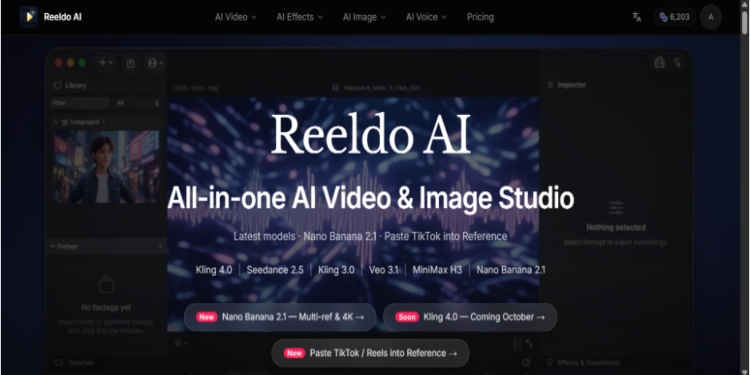
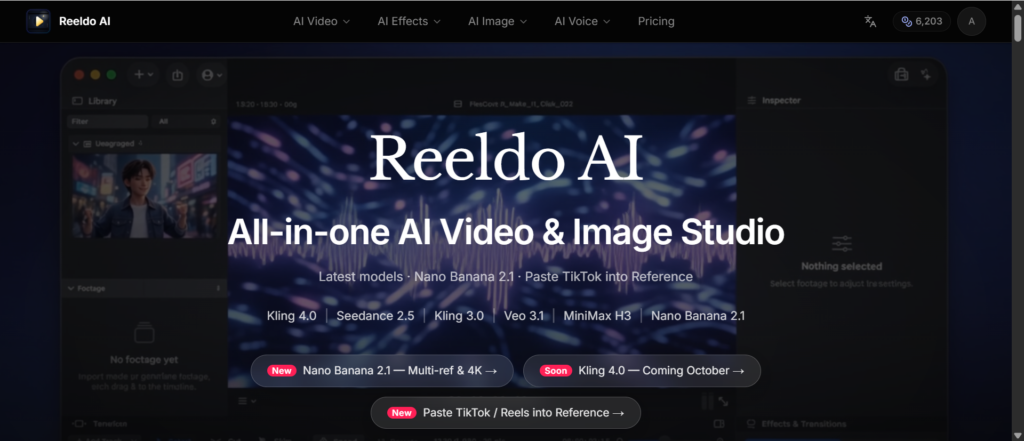
For generated video, reference images and keyframes can help a creator communicate the intended visual direction. Reeldo AI provides access to kling 4.0, including a keyframe workflow for arranging still images in sequence. Reeldo is an independent platform, not the official Kling website.
That does not eliminate the need for review. The creator should still check whether the object’s shape, colour and details remain consistent between moments. If the video represents an actual product, real photographs or footage may be necessary to show it accurately.
Keep Audio and Captions in Mind
A visual plan is only part of the story. Many people encounter short videos while scrolling with the sound off, while others expect dialogue, music or background sound.
That makes it useful to plan for both situations.
For a video about a reading corner, gentle room ambience might support the mood. A short caption could give the viewer context without explaining every visual detail. If the main message depends on spoken instructions, subtitles can make it easier to follow without audio.
Some AI video workflows can generate sound alongside images, but generated audio still needs checking. Listen for unnatural dialogue, distracting background noise or sound effects that do not match the scene. A quiet visual may need less audio, not more.
Creators should also review music and voice permissions before publishing. A convenient asset is not necessarily licensed for every commercial use or platform.
Mix Generated Visuals With Real Material
There is no requirement to make an entire video with one technique. In many cases, the strongest approach combines generated scenes with original photographs, screen recordings or real footage.
A local gardening teacher, for instance, might use a generated opening to introduce the atmosphere of a garden at dawn. The instructional section could then show real hands repotting a plant, followed by a caption listing the tools needed.
This division gives each format a clear job:
- Generated visuals establish a mood or illustrate an idea.
- Real footage demonstrates a process or shows an actual product.
- Captions and narration provide explanation and context.
The same principle applies to business content. If a customer needs to see how a service works, authentic demonstrations are more useful than a polished but fictional representation.
Review the Result From the Viewer’s Perspective
Before publishing, watch the video once without reading the script. Ask what a new viewer would understand from the images alone.
Then review it again with the intended audience in mind:
- Is the main point clear in the opening?
- Does each shot contribute something useful?
- Are product details, labels and written words accurate?
- Do the captions remain readable on a phone?
- Could any generated scene be mistaken for a real event?
That final question matters. A fictional visual should not be presented as documentary footage, a customer testimonial or evidence of an event that did not happen. Where viewers could be misled, a clear disclosure helps them understand what they are seeing.
Treat the First Version as a Conversation Starter
A short video does not have to begin with a perfect storyboard. It can begin with one sentence, one camera movement and one visual draft.
Tools such as Reeldo AI can make it easier to experiment with those ideas, while reference images, captions and real footage help refine the final result. The technology is most useful when it supports a clear message rather than becoming the message itself.
Start small, review carefully and keep the audience’s question in view. A simple scene with a purpose will usually communicate more than a complicated one without a direction.