




















































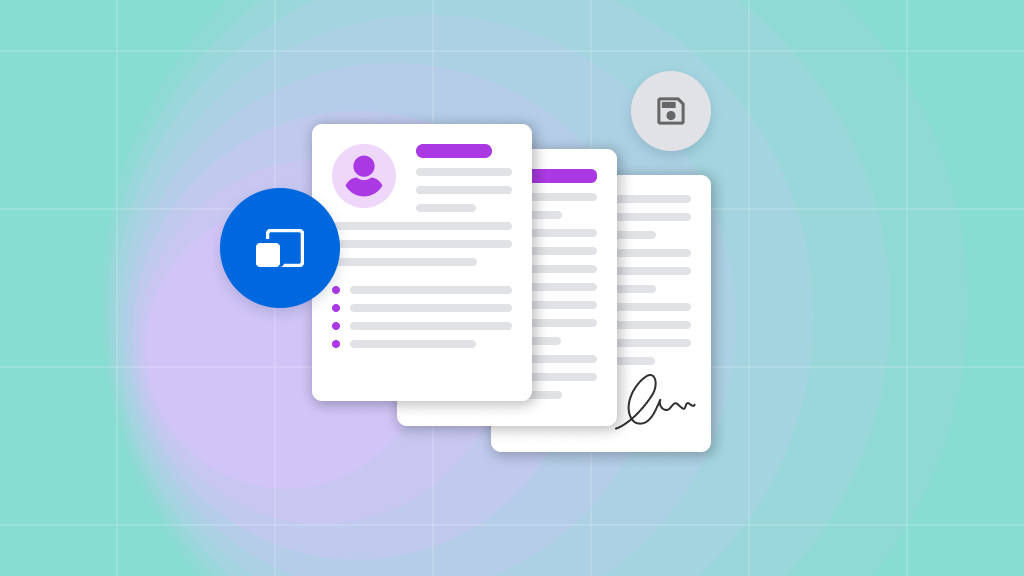
PDFs are widely used for academic papers, business reports, product manuals, training materials, and application documents. When one of these files is written in an unfamiliar language, copying every paragraph into a separate translation box can be slow and may destroy the document’s structure. PDF Translator allows users to translate a complete PDF into English without manually extracting and rebuilding its contents.
A free PDF translator can be particularly useful for international students, remote workers, researchers, job applicants, and entrepreneurs who need to understand documents quickly. PDFTranslator.org does not require registration or a credit card and offers up to 1,000 free pages per calendar month. However, users should still check important names, numbers, terminology, and official requirements before relying on a translated document.


When You May Need to Translate a PDF Into English
English is commonly used in international education, research, business, and professional communication. People may receive important information in another language but need an English version before they can study it, discuss it with colleagues, or share it with an organisation.
Common examples include:
- Academic papers and research reports
- Textbooks and course materials
- Product manuals
- Supplier specifications
- Business proposals
- Training documents
- Market research
- Employment information
- Personal records
- Application guidance
The correct translation workflow depends on why the document is needed. A translation used for personal understanding has different requirements from one submitted to a university, employer, government department, or court.
Documents Used for General Understanding
Many PDFs only need to be understood rather than formally submitted. A student may want to read a foreign-language paper, while a business owner may need to review a supplier’s product catalogue.
An AI translation can provide a useful first version in these situations. The reader can understand the document’s overall message, identify relevant sections, and decide whether specialist review is necessary.
Documents Used for Official Purposes
Birth certificates, marriage certificates, academic transcripts, immigration records, legal agreements, and other official documents may require certified translation.
An online PDF translator can help an authorised user understand what a document says, but it does not automatically make the translation officially acceptable. The receiving organisation may require a qualified translator, signed declaration, certification, notarisation, or a specific document format.
Always check the requirements of the university, employer, solicitor, government department, or other receiving organisation before submitting a translated document.
Confirm That the PDF Contains Selectable Text
Before uploading the document, confirm that its text can be selected, copied, and searched. PDFTranslator currently supports text-based PDF files.
PDFTranslator does not currently provide OCR or direct translation for scanned documents, image-only PDFs, or photographs of printed pages. If the text cannot be selected, use an appropriate external process to create a text-based PDF before uploading it.
Prepare the Document Before Uploading It
A clean source file generally produces a more useful result. Before translation, review the PDF and remove anything that is unnecessary, outdated, or too sensitive to upload.
Confirm That the File Is Complete
Open the document and check:
- Whether every page is present
- Whether the pages are in the correct order
- Whether the text is readable
- Whether images and tables display correctly
- Whether the file is the latest version
- Whether password protection prevents processing
- Whether blank or duplicate pages can be removed
If the document contains several languages, identify which sections need to be translated into English and which should remain unchanged.
Remove Unnecessary Personal Information
A document may contain addresses, telephone numbers, identification details, signatures, account information, or internal comments that are not needed for the translation.
Removing or redacting unnecessary personal data reduces privacy risk. Passwords, private keys, access tokens, and active login credentials should never be included in a file uploaded to an online service.
Reduce or Split Oversized PDFs
PDFTranslator.org supports files up to 20MB. If a textbook, report, or manual exceeds this limit, users can compress it or divide it into logical sections.
Useful divisions may include:
- Chapters
- Course units
- Report sections
- Product categories
- Main document and appendices
- Instructions and reference material
Splitting a file by topic preserves context more effectively than selecting arbitrary page ranges. Browser-based PDF tools for splitting, merging, and compressing files can help prepare the document and assemble reviewed sections afterwards.
Translate the PDF Into English
Once the source file is ready, the translation process is straightforward. The exact interface may change over time, but the core workflow remains similar.
Select the Source and Target Languages
Choose the language used in the original PDF manually and select English as the target language. PDFTranslator does not currently provide automatic source-language detection, so users should identify and confirm the original language before starting the translation.
Documents containing multiple languages may require additional review because quotations, references, product names, and technical expressions may not all need translation.
PDFTranslator.org supports more than 100 languages, including Spanish, French, German, Chinese, Japanese, and Korean.
Upload the Complete File
Upload the prepared PDF rather than copying individual paragraphs into a text translator. Processing the complete document helps preserve the relationship between headings, paragraphs, images, tables, and captions.
It also reduces the amount of manual work required to rebuild the English version after translation.
Download and Open the English Version
After processing is complete, download the translated PDF and confirm that it opens correctly. Keep the original file available because the English version should be reviewed alongside it.
Do not delete the source document after receiving the translation. It remains necessary for checking terminology, values, quotations, and any content that appears unclear.
Review the English Translation
An English translation can be readable without being fully accurate. Review is especially important when the document affects academic work, employment, finances, safety, or a business decision.
Check Names and Proper Nouns
Personal names, company names, place names, product names, institutions, and professional titles may be transliterated or translated inconsistently.
Compare each important name with an official source where possible. For example, a university may already publish its official English name, while a company may use a specific English brand name.
Do not create a new English version of a proper name if an approved version already exists.
Verify Dates, Numbers, and Currency
Different countries use different date and numerical formats. For example, 06/08 can mean 6 August or 8 June depending on the original convention.
Check:
- Dates and deadlines
- Prices and fees
- Percentages
- Decimal separators
- Currency symbols
- Account numbers
- Identification numbers
- Measurements
- Page and section references
Numbers should be compared directly with the source document. A small change can materially affect an application, quotation, research result, or commercial decision.
Review Specialist Terminology
Academic, legal, medical, financial, and technical terms often have meanings that differ from everyday English.
Use reliable references to check important terminology, such as:
- Official institutional websites
- Industry standards
- Professional dictionaries
- Academic databases
- Approved company glossaries
- Existing English-language manuals
- Previously translated documents
If a term appears repeatedly, create a short glossary and use one consistent translation unless the context requires a distinction.
Check the Original Formatting
A PDF is useful partly because it connects information through layout. Tables show relationships between labels and values, headings organise topics, and captions explain images.
The translated version should preserve these connections as much as possible.
Inspect Tables and Multi-Column Pages
Review tables row by row and confirm that each value remains connected to the correct heading. Longer English labels may require more space than the original text.
For multi-column documents, check that paragraphs follow the correct reading order. Text from one column should not be joined with an unrelated sentence from another.
Review Images, Captions, and Lists
Confirm that:
- Captions remain close to the correct image
- Numbered steps stay in sequence
- Bullets retain their hierarchy
- Warnings remain visible
- Footnotes correspond to the correct page
- Headers and footers remain readable
- Page references still point to the intended section
Text expansion may cause a heading to wrap onto another line or a paragraph to move to the next page. These changes are not always errors, but they should not make the document difficult to read.
Understand the Limits of an English AI Translation
AI translation is useful for access and initial understanding, but it should not be expected to replace every type of professional review.
Academic and Research Documents
Students and researchers can use translated PDFs to screen papers and understand arguments. Before quoting, citing, or relying on a result, they should compare the relevant passage, data, and terminology with the original.
A translated sentence should not automatically be presented as the author’s exact wording.
Business and Technical Documents
Product manuals, supplier reports, and operating procedures require checks by someone familiar with the subject. Commands, model numbers, file paths, API parameters, and configuration values should generally remain unchanged.
Safety instructions and high-impact procedures may require specialist review.
Legal and Official Documents
Contracts, court documents, immigration records, certificates, and regulatory materials may need a qualified or certified translator.
The fact that an English translation is accurate enough to understand does not mean it will be accepted for an official application. Requirements vary by organisation and document type.
Protect Privacy When Translating Online
PDFs may contain personal, academic, financial, or commercially sensitive information. Users should understand how an online service handles uploaded files and follow any policies that apply to the document.
PDFTranslator.org uses SSL-secured processing and states that uploaded files are automatically deleted within 24 hours after translation.
These measures are useful for general documents, but users remain responsible for institutional rules, employment agreements, confidentiality obligations, and applicable data protection requirements.
Classify the File Before Uploading
Ask whether the document is:
- Publicly available
- Intended for personal use
- Internal to an organisation
- Confidential
- Restricted by a contract
- Subject to data protection requirements
- Part of an official application
If the file is highly sensitive, consult the organisation or data owner before using an online tool.
Translate Only What Is Necessary
A user may only need one chapter, section, or set of pages. Translating only the required content can reduce processing time, preserve the free allowance, and limit the amount of information being uploaded.
Data minimisation is particularly important when a long file includes both public and confidential sections.
Make Effective Use of Free PDF Translation
PDFTranslator.org provides up to 1,000 free pages per calendar month without requiring registration, a credit card, or a paid subscription.
This allowance can be useful for students, freelancers, job seekers, researchers, remote workers, and small businesses that regularly receive foreign-language PDFs.
To use it efficiently:
- Remove blank pages
- Translate relevant chapters first
- Screen abstracts before translating entire papers
- Avoid processing duplicate versions
- Split files by purpose or audience
- Compress oversized documents when appropriate
- Translate the latest approved version only
The absence of registration can make one-time and occasional translation more convenient. Users should still download the result promptly and maintain their own secure copy if they need it later.
A Reliable PDF-to-English Workflow
The most dependable process combines the speed of AI translation with careful human checking.
A practical workflow is:
- Confirm why the English version is needed.
- Check whether official or certified translation is required.
- Confirm that the PDF is text-based and contains selectable text.
- Remove unnecessary or sensitive information.
- Split or compress the file if it exceeds 20MB.
- Select the source language and English as the target.
- Translate the complete PDF.
- Compare the English version with the original.
- Verify names, dates, numbers, and terminology.
- Arrange professional review when the consequences of an error are significant.
Online PDF translation can remove much of the repetitive work involved in understanding foreign-language documents. It can also retain the visual structure that would otherwise need to be rebuilt manually.
The final level of review should always match the intended use. For general reading, an AI-assisted translation may be sufficient after basic checks. For academic publication, legal submission, financial decisions, or safety-related instructions, qualified human review remains essential.
Frequently Asked Questions
Can I translate a PDF into English without creating an account?
Yes. PDFTranslator.org allows users to translate PDFs without registration or a credit card. Users should still review the translated file and save any version they need to keep.
Can I use an online translation for a UK visa or university application?
You can use it to understand the document, but the receiving organisation may require a certified translation. Check the specific requirements before submitting translated certificates, transcripts, or immigration records.
Can PDFTranslator translate a scanned PDF?
Not currently. PDFTranslator supports text-based PDFs but does not provide OCR or direct translation for scanned or image-only documents. Confirm that the text can be selected and searched before uploading the file.