


















































In today’s digital era, nearly every aspect of life depends on the internet. People shop online, access banking services, communicate through social media, and store personal information on connected devices. While technology has made life more convenient, it has also created new opportunities for cybercriminals. Online threats such as phishing scams, ransomware, malware, and identity theft are becoming increasingly common.
Many internet users underestimate the importance of cybersecurity until they become victims of a cyberattack. Unfortunately, recovering from stolen data, hacked accounts, or financial fraud can be difficult and expensive. This is why individuals and businesses alike need to take proactive measures to protect their digital lives.


The foundation of strong cybersecurity starts with two essential elements: secure passwords and reliable antivirus protection. These tools work together to defend against unauthorized access and malicious software attacks.
Why Weak Passwords Are a Serious Risk
Passwords act as the first line of defense for online accounts. Whether it is an email account, online banking platform, or social media profile, passwords help protect sensitive information from unauthorized users. However, many people continue to use weak or predictable passwords that hackers can easily crack.
Common Password Mistakes
One of the biggest cybersecurity mistakes users make is reusing the same password across multiple websites. While this may seem convenient, it creates a major security risk. If one account becomes compromised during a data breach, hackers can use the same credentials to access other accounts.
Other common password mistakes include:
- Using personal information such as birthdays or names
- Creating short or simple passwords
- Avoiding special characters or numbers
- Storing passwords insecurely
Cybercriminals often use automated tools that can test thousands of password combinations within seconds. Weak passwords provide little protection against these attacks.
The Value of Strong Passwords
Strong passwords are significantly more difficult to crack because they include a combination of uppercase letters, lowercase letters, numbers, and symbols. They are also longer and more random than standard passwords.
Using a password generator free tool is one of the easiest ways to create secure passwords. Instead of relying on simple words or repeated combinations, password generators automatically create complex passwords that are far more resistant to hacking attempts.
Generated passwords improve security because they are:
- Unique for every account
- Difficult to guess
- Resistant to brute-force attacks
- More secure than manually created passwords
By using unique passwords across all accounts, users can greatly reduce the risk of credential theft and account compromise.
The Role of Antivirus Software in Digital Security
While strong passwords protect online accounts, they cannot stop malware or malicious software from infecting devices. This is where antivirus software becomes essential.
Modern antivirus solutions provide comprehensive protection against a wide range of cyber threats. They continuously monitor systems for suspicious activity and block harmful files before damage occurs.
How Antivirus Software Works
Antivirus software scans files, applications, and websites for malicious behavior. Advanced security tools use real-time detection systems to identify threats instantly.
Some key functions of antivirus software include:
- Malware detection and removal
- Ransomware protection
- Phishing website blocking
- Firewall security
- Privacy protection
- Real-time scanning
Without proper antivirus protection, users may unknowingly download infected files or visit dangerous websites that compromise their devices.
Protection Against Malware and Ransomware
Malware refers to any software designed to damage or gain unauthorized access to a device. Viruses, spyware, worms, and trojans all fall under this category.
Ransomware is one of the most dangerous forms of malware because it locks users out of their files until a payment is made. These attacks can affect individuals, businesses, hospitals, and even government organizations.
Installing the best antivirus software helps prevent these threats by detecting suspicious activity before files become encrypted or stolen.
The Rise of Phishing Attacks
Phishing attacks have become increasingly sophisticated in recent years. Cybercriminals often create fake websites or emails that appear legitimate in order to trick users into revealing passwords or financial information.
How Phishing Scams Work
A phishing email may appear to come from a trusted company, bank, or online service provider. It often contains urgent language encouraging users to click a link or verify account information.
Once users enter their details on a fake website, attackers can steal login credentials, banking information, or personal data.
How Security Tools Help
Strong passwords alone cannot stop phishing attempts. However, modern antivirus software can identify and block suspicious websites before users access them.
Combining secure passwords with antivirus protection creates multiple layers of security that significantly reduce cyber risks.
Cybersecurity for Remote Workers
Remote work has increased the importance of online security. Employees frequently connect to company systems from home networks, cafes, airports, and public Wi-Fi connections.
Risks of Public Networks
Public internet connections are often less secure than private networks. Hackers may attempt to intercept sensitive information transmitted through unsecured Wi-Fi networks.
Remote workers are especially vulnerable to:
- Data theft
- Password interception
- Malware attacks
- Unauthorized system access
Best Practices for Remote Security
To stay protected while working remotely, users should:
Use Strong Passwords
Every work-related account should have a unique and secure password generated through a trusted password tool.
Install Antivirus Software
Reliable antivirus protection helps monitor downloads, websites, and files for suspicious activity.
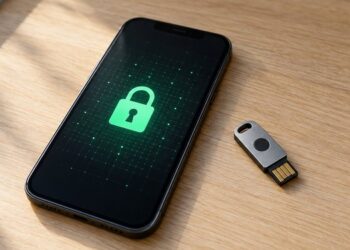
Enable Multi-Factor Authentication
Multi-factor authentication adds an extra verification step beyond passwords, making unauthorized access more difficult.
Mobile Device Security
Many people mistakenly believe smartphones and tablets are immune to cyber threats. In reality, mobile devices contain valuable information such as passwords, banking details, and private communications.
Common Mobile Threats
Mobile users can face:
- Malicious applications
- Fake software updates
- Unsafe Wi-Fi networks
- SMS phishing scams
Because smartphones are constantly connected to the internet, protecting them is just as important as securing desktop computers.
Why Mobile Protection Matters
Antivirus solutions that support mobile devices help users identify dangerous apps and secure online activity across all devices.
Building Better Online Habits
Technology alone cannot guarantee cybersecurity. Users must also develop safe online habits to reduce risks.
Important Cybersecurity Habits
Good cybersecurity practices include:
- Avoiding suspicious links and downloads
- Updating software regularly
- Using secure passwords for every account
- Backing up important files
- Monitoring account activity
Education and awareness play a major role in preventing cybercrime.
Conclusion
As digital threats continue to evolve, protecting personal information has become more important than ever. Cybercriminals constantly search for weak passwords, outdated software, and vulnerable devices to exploit.
Using a secure password strategy alongside reliable antivirus protection creates a strong defense against online threats. A password generator free tool helps users create unique and complex passwords, while the best antivirus software protects devices from malware, ransomware, and phishing attacks.
By combining smart online habits with advanced security tools, users can significantly reduce cybersecurity risks and enjoy a safer digital experience.