


















































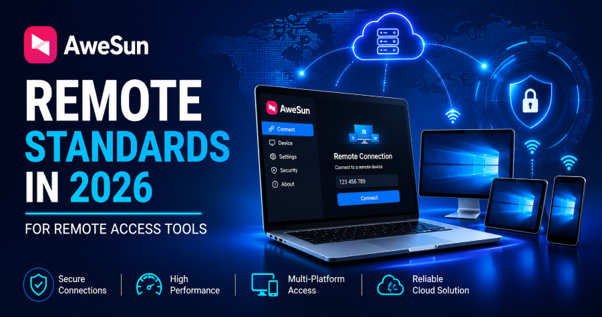
The market for remote access tools is more crowded than ever. A quick search turns up hundreds of software options, each claiming lightning-fast speed, bulletproof security, and effortless interfaces. Yet, most users only uncover how a tool truly performs when put under real-world pressure—like dragging huge files across subnets, running graphics-heavy desktop apps, or controlling a PC from a smartphone.
That real-world friction is precisely why AweSun Remote is getting so much attention this year. While legacy developers continue patching up outdated architectures built a decade ago, AweSun Remote was built from the ground up for modern multi-device routines.


AweRay: The Engine Behind AweSun Remote
Developed by technology firm AweRay, AweSun Remote Desktop was engineered to simplify and secure modern connectivity. Instead of taking a heavy corporate tool and slapping consumer features onto it, AweRay took the opposite approach: designing an agile, high-performance client tailored directly to modern user habits.
Whether you are working remotely, managing servers, troubleshooting client systems, or streaming PC games to a mobile device, AweSun Remote balances ultra-low latency, up to 144 FPS screen sharing, and financial-grade security in a single streamlined package.
What is a Viable Remote Access Tool in 2026?
Years ago, remote desktop access served one main purpose: letting an IT manager remotely control an employee’s machine for software troubleshooting. While corporate helpdesks still need that, today’s workflows demand much more.
Modern users rely on remote tools for:
- Remote work: Accessing office systems from any location
- Remote gaming: PC game streaming from a bulky setup to a lighter on-the-go device
- Creative work: Remotely accessing software to design and edit
- File access: An easy way to transfer files from one device to another
- Personal tech support: Giving tech support to friends and family from another location
If a tool only succeeds at corporate IT administration, it is essentially a legacy app with a fresh coat of paint. AweSun Remote bridges these diverse requirements far more naturally.
Three Features That Set AweSun Remote Apart
AweSun Remote is developed by AweRay, a company that builds fast, reliable remote access software for both personal and enterprise use. Instead of taking an enterprise remote tool and adding consumer features on top of it, AweSun Remote was developed the other way around. It is designed with the end user’s performance in mind.
Three things stand out when using AweSun Remote vs the rest of the remote access tools:
- Ultra-low latency the best experience for events occurring in real-time.
- Over 144 FPS streaming a benchmark that most remote access tools fall short of.
- Financial-grade encryption: seamless security that safeguards your sessions.
On their own, any of these features are great. Having all three at once, with an easy setup process, is where AweSun Remote excels.
Simple Setup: Connected in Minutes
Traditional enterprise tools are notorious for tedious setup procedures—endless email verifications, complex license keys, and manual port forwarding. AweSun Remote eliminates these roadblocks:
- Download: Grab the native app for Windows, macOS, Android, or iOS.
- Sign In: Create a free account or sign in with Google single sign-on.
- Enter Credentials: Type in the unique Device ID and passcode of the host computer.
- Connect: Start your session instantly—no manual router configuration or IT approval required.
For most users, the entire setup takes under three minutes.
How AweSun Remote Compares to Other Remote Access Tools
Broadly speaking, remote access tools fall into two camps: enterprise focused platforms built for IT departments and newer tools designed around everyday, real time use. AweSun Remote sits firmly in the second category which shapes almost every part of how it performs.
| Feature | AweSun Remote | Typical Enterprise Remote Tools |
| Setup Time | Minutes, minimal configuration | Often requires IT-level setup |
| Latency | Ultra-low, tuned for real-time use | Can lag during high-motion tasks |
| Frame Rate | Up to 144 FPS | Usually lower, office-focused |
| Mobile Experience | Built natively for touch devices | Frequently a scaled-down desktop view |
| Gaming Support | Actively optimized | Rarely a priority |
| Pricing | Accessible for individuals | Often licensed for business use |
| Security | Financial-grade encryption, 2FA | Strong, but setup-heavy |
How AweSun Remote Compares to Other Remote Access Tools
Broadly speaking, remote access tools fall into two camps: enterprise focused platforms built for IT departments and newer tools designed around everyday, real time use. AweSun Remote sits firmly in the second category which shapes almost every part of how it performs.
| Feature | AweSun Remote | Typical Enterprise Remote Tools |
| Setup Time | Minutes, minimal configuration | Often requires IT-level setup |
| Latency | Ultra-low, tuned for real-time use | Can lag during high-motion tasks |
| Frame Rate | Up to 144 FPS | Usually lower, office-focused |
| Mobile Experience | Built natively for touch devices | Frequently a scaled-down desktop view |
| Gaming Support | Actively optimized | Rarely a priority |
| Pricing | Accessible for individuals | Often licensed for business use |
| Security | Financial-grade encryption, 2FA | Strong, but setup-heavy |
Seamless Cross-Platform Flexibility
Very few people work on a single operating system all day. A typical routine might start on a Windows desktop, move to a MacBook during meetings, and finish on an iPad or Android phone in the evening.
Instead of shrinking a huge desktop interface onto a small mobile screen, AweSun Remote features ground-up touch controls tailored to mobile displays. Controls remain intuitive across Windows, macOS, iOS, and Android, meaning you won’t waste time struggling with tiny buttons or awkward scrolling.
Security Without the Complexity
Granting remote access means opening a door to your files, personal data, and internal networks. AweSun Remote secures every connection through:
- End-to-End Financial Encryption: Shielding session data from external interception.
- Two-Factor Authentication (2FA): Preventing unauthorized logins at the account level.
- Secondary Device Verification: Requiring explicit permission before any host computer accepts an incoming link.
Freelancers handling client data and remote workers accessing company servers get corporate-grade protection without dealing with clunky administrative software.
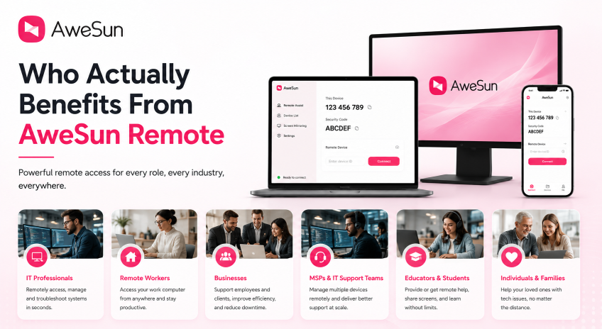
Who Benefits Most from AweSun Remote?
- Remote & Hybrid Employees: Access full-powered office workstations from anywhere with desktop-like fluidity.
- Freelancers & Creators: Run heavy video or design software remotely on lighter travel devices.
- PC Gamers: Stream high-FPS games from home rigs to laptops, phones, or tablets on the go.
- IT Technicians & Freelance Support: Quickly diagnose, fix, and manage remote systems for clients or family.
Final Thoughts
The market for remote access tools has grown increasingly crowded, but not every option has kept pace with how people actually operate across devices in 2026. AweSun Remote stands out less because of a single gimmick and more because of how consistently it delivers across work, gaming, creative tasks, and everyday personal access.
If speed, security, and a simple setup matter more to you than a long list of enterprise-only features, AweSun Remote is well worth trying before settling on whichever tool happens to have the most familiar name.
FAQs
Q: What is AweSun Remote used for?
A: AweSun Remote is used for hybrid remote work, technical IT support, high-FPS remote gaming, fast file transfers, and cross-platform access between PCs, Macs, and mobile devices.
Q: How does AweSun Remote compare to other remote access tools?
A: AweSun Remote offers up to 144 FPS streaming, much lower latency, a native touch-friendly mobile UI, and a setup process that takes just minutes without complex network configuration.
Q: Is AweSun Remote secure?
A: Yes. All sessions are protected with financial-grade end-to-end encryption (AES 256-bit), mandatory device verification, and Two-Factor Authentication (2FA).
Q: Can I use AweSun Remote on my phone?
A: Yes. AweSun Remote offers dedicated, touch-optimized applications for both Android and iOS devices.
About the Author
A remote work and productivity tech writer focusing on tools that enable remote access, cross-platform workflows, and software comparisons.