

















































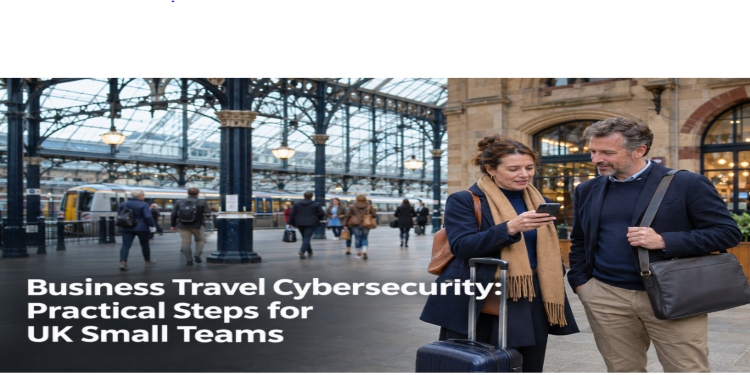
A client meeting in Manchester, a conference in London or a hotel stay before an early appointment may seem routine. Yet accessing business files, invoices and customer information outside the office introduces security risks that small teams cannot afford to overlook.
According to the UK government’s Cyber Security Breaches Survey 2025/2026, 43% of businesses identified a cyber security breach or attack in the previous 12 months. Although this figure is not specific to business travel, it highlights the importance of everyday security precautions.


For small businesses without dedicated IT teams, safer business travel starts with a few practical routines.
1. Know What Business Information Travels With You
Before leaving the office, consider what information employees actually need during their journey.
A salesperson may require customer contact details, while a consultant might access confidential project documents. Not every file needs to be stored locally.
Where possible, use approved cloud services with appropriate access controls. Remove unnecessary local copies of sensitive files before travelling, following company retention policies.
Check that devices have screen locks, full-disk encryption and automatic security updates enabled. Restrict access to confidential documents according to employee responsibilities.
These precautions can reduce potential exposure if a laptop is lost or stolen.
2. Protect Connections on Unfamiliar Networks
Hotel and café Wi-Fi can be convenient, but employees should confirm the official network name before connecting. Fraudulent hotspots and misleading login pages can expose users to security risks.
HTTPS protects communications with properly configured websites. For additional connection privacy, a VPN can encrypt traffic between a device and a VPN server.
When choosing a VPN service, compare its supported platforms, privacy policy and connection features with your team’s needs.
However, a consumer VPN is not automatically a substitute for an organisation-managed remote access solution. It does not enforce corporate permissions, prevent phishing or guarantee that websites are trustworthy.
Employees should follow company-approved connection policies. A trusted mobile hotspot may be preferable when a public network appears suspicious, although mobile connections are not risk-free.
3. Verify Unexpected Payment and Booking Requests
Business travel frequently involves invoices, accommodation bookings and last-minute payment arrangements.
One serious threat is business email compromise, where criminals impersonate legitimate contacts to request payments or change banking details.
Fraudulent messages may contain convincing information, including genuine booking references or familiar supplier names.
Never approve a change of payment details solely because an email appears authentic.
Instead, contact the supplier through a previously verified telephone number, not one included in the suspicious message.
For unusual payments or changes to supplier bank details, require a second employee to verify the request. They should:
- Compare the new payment details with existing supplier records.
- Confirm the change through an independently verified contact channel.
- Record the verification before approving payment.
This process helps reduce fraud risks when employees are travelling or working under time pressure.
4. Prepare Work Devices Before the Journey
Installing unfamiliar software at an airport or railway station is rarely ideal.
Before departure, update work devices, test essential applications and confirm that employees can access required business accounts.
If a VPN is part of the company’s approved security arrangements, choose VPN software compatible with the Windows laptops, Macs or smartphones employees will use during the trip.
Install and test software on a trusted network. Confirm that the VPN works with required business applications and does not interfere with organisational security controls.
Prepare account recovery options as well.
Employees travelling overseas should not depend entirely on SMS verification codes, particularly when changing SIM cards.
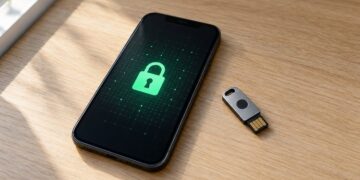
Where supported and approved, authentication apps, passkeys or security keys can provide alternative verification methods. Employees should test their chosen method before departure.
5. Understand Why Hotel Wi-Fi Login Pages Sometimes Fail
A common travel connectivity problem occurs when a device connects to hotel Wi-Fi but cannot access the internet.
Many hotels use a captive portal, requiring guests to accept terms or enter a room number before accessing the wider network.
If a VPN attempts to connect before this process is complete, the connection may fail. Certain VPN or kill-switch configurations can also interfere with access to the login page.
If the hotel Wi-Fi login page does not appear:
- Verify the network. Confirm its name and official login instructions with hotel staff.
- Complete the sign-in process. Open a browser and follow the hotel’s instructions to access its legitimate captive portal.
- Reconnect the approved VPN. Once internet access is available, establish the company-approved VPN connection before accessing protected business resources.
If company security settings prevent the portal from loading, contact IT support rather than disabling the VPN, kill switch or other protections without authorisation.
Be suspicious if a login page unexpectedly requests software installation, security certificates or corporate account passwords.
6. Keep Confidential Work Out of Public View
Not every security problem involves hackers or malicious software.
A laptop displaying customer records may be visible to nearby passengers. An unattended phone could expose confidential notifications or verification codes.
Use a privacy screen where appropriate, lock devices when stepping away and avoid discussing sensitive client information in crowded spaces.
Before sharing a business document, verify the recipient and check its access permissions.
For sensitive files, restrict access to named individuals rather than allowing anyone with the link to open them.
If privacy cannot be maintained, postpone the task until you can work somewhere more suitable.
7. Have a Plan for Lost or Stolen Devices
A missing laptop or smartphone requires a clear response.
Employees should report the incident immediately, providing the device details, last known location and types of business information potentially involved.
Responsibilities should be established before anyone travels:
- Employee: Report the loss promptly and explain what information or accounts may be affected.
- IT administrator or service provider: Revoke active sessions, assess account exposure and remotely lock or wipe managed devices where appropriate.
- Business owner or data protection lead: Assess whether personal data has been compromised, document the incident and determine whether regulatory notification is required.
Under UK data protection rules, organisations must assess whether a personal data breach is likely to pose a risk to individuals’ rights and freedoms.
Where notification is required, the breach must generally be reported to the Information Commissioner’s Office (ICO) without undue delay and, where feasible, within 72 hours of becoming aware of it.
Not every lost device requires notification. However, organisations must document personal data breaches and their reporting decisions.
Regular backups and tested recovery procedures also help businesses restore access to essential information after an incident.
8. Use a Simple Travel Security Checklist
A short checklist can help employees remember essential precautions before, during and after a business trip.
| When | Essential Check | Why It Matters |
| Before departure | Update devices and confirm backups | Reduces preventable security and recovery problems |
| Before connecting | Verify the Wi-Fi network | Helps avoid fraudulent hotspots |
| Before payments | Independently confirm unexpected requests | Reduces invoice and payment fraud risks |
| Before sharing files | Check recipients and access permissions | Limits accidental data disclosure |
| After a device goes missing | Report it and revoke access | Helps contain potential exposure |
| After returning | Review sessions and temporary access | Reduces unnecessary ongoing access |
Managers should make sure employees know who to contact when something goes wrong. Even a small team can establish clear reporting responsibilities without creating a complicated security policy.
Conclusion
Business travel requires employees to balance convenience, productivity and information security.
For UK small businesses, effective precautions include securing devices, verifying payment changes, following approved network policies and controlling access to confidential information.
Preparing for hotel Wi-Fi problems and device loss is equally important.
Rather than relying on a single security product, establish practical routines that employees can follow wherever they work.