



















































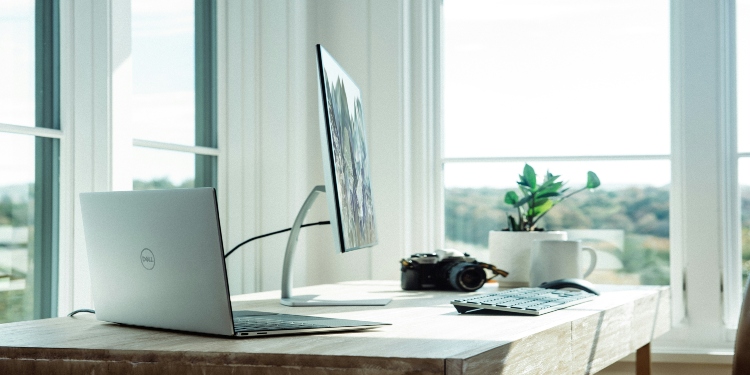
While laptops dominate the conversation around remote work, a stationary desktop remains the most cost-effective and ergonomic foundation for anyone working primarily from a single desk. Unlike portable machines constrained by thin chassis and thermal limits, a well-built tower or compact business desktop delivers quieter operation, superior port selection, and straightforward component upgrades over time. According to industry tracking from IDC and Gartner, Dell consistently holds its position as the world’s third-largest PC vendor (capturing roughly 15% of global shipments in 2025 and maintaining strong commercial resilience through 2026 despite rising memory component costs), largely because businesses and home-office professionals value predictable hardware lifecycles and accessible serviceability.
Choosing a Dell PC for Work – Form Factors and Product Lines Explained
When browsing a Dell PC for daily office tasks, spreadsheets, accounting, or software development, the first practical decision is choosing the right physical size and product family. Manufacturers design different chassis formats to solve different workspace constraints, and picking the right one prevents clutter on or under your desk.


- Mini Tower (MT) – A traditional vertical desktop case offering maximum internal space. It accommodates extra storage drives, full-height expansion cards, and larger, slower-spinning cooling fans that stay whisper-quiet under sustained multitasking.
- Small Form Factor (SFF) – A slimmer, compact desktop designed to sit neatly beside or beneath a monitor without sacrificing standard desktop processors and essential rear ports.
- Micro / Tiny Form Factor (MFF) – An ultra-compact unit roughly the size of a hardcover book. It can be mounted directly behind a display using a VESA bracket, leaving the desk completely clear for paperwork, though future internal upgrades are typically limited to RAM and an SSD.
In terms of product tiers, business-oriented lines such as OptiPlex (or newer Dell Pro commercial desktops) focus on long-term stability, multi-monitor support out of the box, and hardware security features, whereas Inspiron and Vostro target everyday home productivity and small-business budgets.
Check out the offer at: https://www.morele.net/
Understanding Core Specifications Without the Technical Jargon
Spec sheets are often packed with acronyms that obscure what actually matters during an eight-hour workday. Focusing on four core components will help you avoid overspending on unnecessary features while ensuring the computer remains responsive for years to come.
First, RAM (Random Access Memory) acts as your computer’s short-term workbench. Every open browser tab, video call, and spreadsheet occupies space in RAM; when it fills up, the system slows down dramatically as it writes temporary data to the main drive. In 2026, 16 GB of RAM is the sensible baseline for smooth office work, while 32 GB is recommended if you regularly keep dozens of browser tabs open alongside heavy data tools or virtual meetings.
Second, an NVMe SSD (Solid State Drive) replaces older mechanical hard drives with flash memory connected directly to the motherboard’s high-speed bus. In everyday terms, this is what makes Windows boot in seconds and prevents large PDFs or project folders from lagging when opened. Aim for 512 GB as a starting point, or 1 TB if you store extensive photo archives or local backups.
Third, pay attention to integrated graphics and display outputs. Office workloads—email, document editing, CRM dashboards, and 4K video conferencing—do not require a power-hungry discrete graphics card. Modern integrated graphics built into Intel Core / Core Ultra or AMD Ryzen processors easily drive two or three high-resolution monitors simultaneously via DisplayPort or HDMI, saving electricity and eliminating extra fan noise.
| Component | Recommended Office Baseline (2026) | Heavy Multitasking / Data Work | Real-World Benefit at Your Desk |
| Processor (CPU) | Intel Core i5 / Core Ultra 5 or Ryzen 5 | Intel Core i7 / Core Ultra 7 or Ryzen 7 | Responsive switching between apps and video calls |
| Memory (RAM) | 16 GB DDR4 / DDR5 | 32 GB DDR5 | Smooth handling of 30+ browser tabs and large sheets |
| Storage | 512 GB NVMe SSD | 1 TB NVMe SSD | Fast boot times and instant file search |
| Operating System | Windows 11 Home or Pro | Windows 11 Pro (BitLocker & domain join) | Stronger encryption and remote management for business |
| Video Outputs | 2x digital outputs (DP / HDMI) | 3x digital outputs (DP / HDMI / USB-C) | Easy dual-monitor productivity setup |
Security, Connectivity, and Long-Term Ergonomics
Beyond raw speed, a business-grade desktop pays off through reliability and workplace ergonomics. Built-in TPM 2.0 (Trusted Platform Module) hardware works alongside Windows 11 Pro and BitLocker encryption to protect sensitive financial records or client data if a drive is ever removed from the machine. Furthermore, having multiple USB-A and USB-C ports on both the front and rear panels eliminates the need for messy external dongles when connecting printers, webcams, headsets, and external backup drives.
Before placing an order, run through this quick practical checklist:
- Verify monitor cable compatibility – Check whether your current monitors use DisplayPort or HDMI so you are not caught without the right cable on day one.
- Prioritise wired Ethernet (RJ-45) plus Wi-Fi 6/6E – A direct Ethernet cable offers rock-solid stability for cloud backups and video calls, while built-in Wi-Fi adds flexibility if your desk is far from the router.
- Look at warranty and tool-less access – Business desktops often feature tool-less side panels that open in seconds for dusting or adding a second SSD later.
- Pair the tower with a quiet keyboard and an adjustable monitor – Placing the screen at eye level reduces neck strain far more effectively than any internal hardware upgrade.
Investing in Quiet, Dependable Performance
Choosing a desktop for work is ultimately about removing daily friction. By prioritising at least 16 GB of RAM, a fast NVMe SSD, dual-monitor connectivity, and a chassis size tailored to your desk, you secure a quiet, energy-efficient workstation that stays dependable through years of software updates without forcing premature replacement.