



















































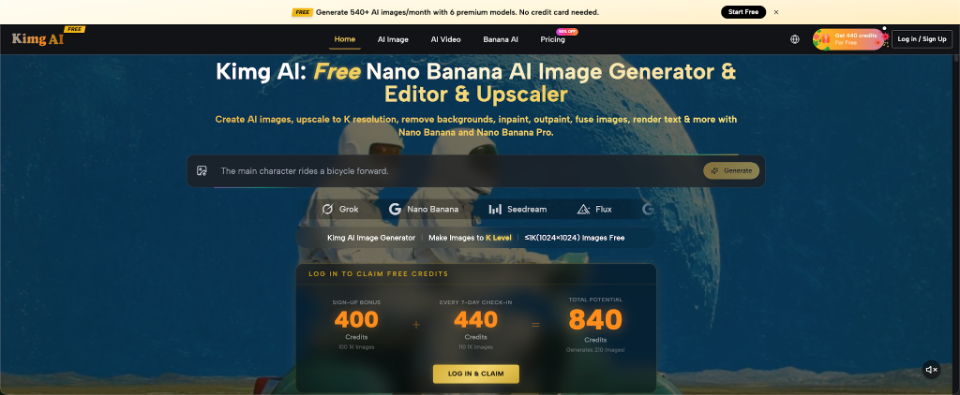
A small business rarely lacks ideas for promotion. The real obstacle is often the image needed to explain the offer. A new product arrives, a seasonal campaign is approved, or a social post needs to go live, but the available photograph has the wrong background, weak lighting, or no space for a headline. Nano Banana on Kimg AI provides a way to generate new images or transform existing ones with written instructions. For UK businesses working with limited time and material, the value lies in improving a clear concept rather than producing more content without a plan.
Why Product Images Become a Bottleneck
A product can be ready to sell while its campaign materials remain unfinished. The team may have a supplier photo, a quick phone picture, or an old image from a previous launch. None automatically fits a website banner, email header, marketplace listing, and social post.


Traditional photography remains important, especially when exact colour, scale, and detail must be documented. However, not every campaign image needs a new physical setup. A business may only need to explore background ideas, build an illustrative lifestyle scene, or test visual directions before committing to a shoot.
The first decision is therefore not “Should we use AI?” It is “What does this image need to communicate?” Record the intended audience, message, and format before editing begins. Once the answer is specific, the team can choose generation, editing, or conventional photography and avoid spending time polishing an image that was never suitable for the task.
Decide What Must Stay Accurate
When using an existing product photo, list the details that must not change. These may include the shape, label, material, colour, logo position, packaging size, or number of items shown. Put those fixed details before the requested styling in the prompt.
For example: “Keep the bottle, label design, cap shape, and amber glass unchanged. Replace the kitchen with a simple bathroom shelf in soft morning light. Leave open space on the right for promotional text.”
This instruction separates product truth from campaign styling. The background can change while the item remains recognisable. Compare the output with the source at full size, not from memory. If the product is altered in a way that could mislead a buyer, reject the image even when it looks polished. AI visuals should support communication, not invent features or hide important differences.
Three Campaign Tasks Worth Testing First
The easiest starting point is a contained task with a clear review standard. Avoid rebuilding an entire brand library during the first experiment.
- Create a Launch Setting Around a Real Product
A launch image often needs more context than a plain packshot. A skincare bottle might sit on a calm bathroom shelf, while packaged food could appear on a picnic table. Start with the cleanest product photograph available. Describe the setting, surface, lighting, and empty space. Keep the scene simple so the product remains dominant, then compare every label, edge, and material with the original before public use or client approval.
- Adapt One Idea for a Seasonal Promotion
Seasonal campaigns become crowded when every symbol appears at once. Choose one or two signals. Warm window light and wool texture may communicate winter better than snowflakes, gifts, candles, ribbons, and text in one frame. Change the environment while preserving the product and composition. A restrained seasonal version is easier to reuse across a homepage, email, and social crop without hiding the item beneath decoration or weakening the main offer.
- Build Social Variations From One Direction
Once one direction works, create controlled variations rather than unrelated images. Keep the product, camera angle, and lighting consistent. Change one element such as background colour, supporting object, crop, or headline space. A connected series might include a close view, a wider lifestyle scene, and a clean version with negative space. Consistency helps the audience recognise the campaign even when the format changes across different channels. Review every crop separately afterward.
Use a Source Image and Prompt as a Brief
Kimg AI’s Nano Banana AI image workflow supports written prompts and uploaded images. The platform also describes multiple-reference support for compatible tasks. This can help when a team wants to combine a real product photo with a separate setting, material, or visual reference.
Treat the prompt like a short creative brief. State the fixed product details, requested change, lighting, viewpoint, intended use, and required empty space. Do not rely on vague adjectives such as premium, amazing, or stunning. Those words do not explain what the image should show.
A useful prompt might say: “Place the uploaded ceramic mug on a pale wooden desk beside an open notebook. Use soft overcast window light, an eye-level view, and a clean editorial style. Keep the mug pattern unchanged and leave the upper-left corner empty for a headline.” Save the prompt with the approved result.
Review Images With a Business Checklist
Before approving an AI-assisted campaign image, examine it at full size and at the size customers will actually see. Check labels, logos, edges, reflections, handles, lids, patterns, and repeated objects. Small errors become more noticeable when an image appears beside the real product.
Ask four practical questions. Does the image represent the item accurately? Is the main message obvious within a few seconds? Is there enough clear space for required text or buttons? Does the visual suit the platform and audience?
Include someone who knows the product well in the review. A designer may notice composition problems, while a product manager may catch an inaccurate material or feature. Approval should combine visual quality with factual accuracy.
Keep the source file and prompt with the final image. This makes later corrections easier and helps the team repeat successful directions. Add the review date and approver, especially when several people edit campaign assets.
Know When a New Photograph Is Still Necessary
AI editing is not the right answer for every task. Use proper product photography when customers need exact evidence of size, texture, colour, fit, contents, or operation. A marketplace listing, technical page, or regulated claim may require a faithful photograph rather than a generated scene.
A new shoot is also preferable when the source image is too weak to preserve important details. Blurred labels, hidden edges, severe reflections, and incorrect colours cannot always be repaired reliably. Repeated attempts may create a convincing but inaccurate replacement.
The strongest process may combine methods. Use AI to test settings and campaign concepts, then photograph the selected direction with the real product. Alternatively, keep accurate packshots on product pages and use clearly contextualised AI-assisted lifestyle images for broader storytelling. The method should follow the customer’s information needs, not the team’s desire to use a new tool.
Conclusion
AI image tools can reduce the gap between a campaign idea and a usable visual, but only when the business defines what must remain true. Start with one product, one promotion, and one clear setting. Protect labels and physical details, create controlled variations, and review every result at customer-facing size. Choose a simple campaign task this week and test whether a focused prompt gives your team a stronger direction before the next full production or photography decision is made. Record what remained accurate and what still required a real shoot.