

















































Creating a useful image often takes more than generating something new. A product photo may need a different setting. Two people photographed separately may need to appear in one scene. A strong horizontal image may need to become a vertical social post without cutting off the subject.
These are ordinary production problems, but traditional editing can turn them into slow, technical work. Masks, layers, lighting corrections, edge cleanup, and canvas rebuilding all take time. For creators, online sellers, and small marketing teams, the goal is usually simpler: make the image fit the job without spending an afternoon inside professional software.


That is where focused AI editing tools become more useful than a general image generator.
Combining photos with a clearer starting point
Merging several images is easy in theory. In practice, the result can look wrong even when every source image is good. A product may appear too large for the background. Shadows can point in different directions. Skin tones, perspective, and color temperature may not match.
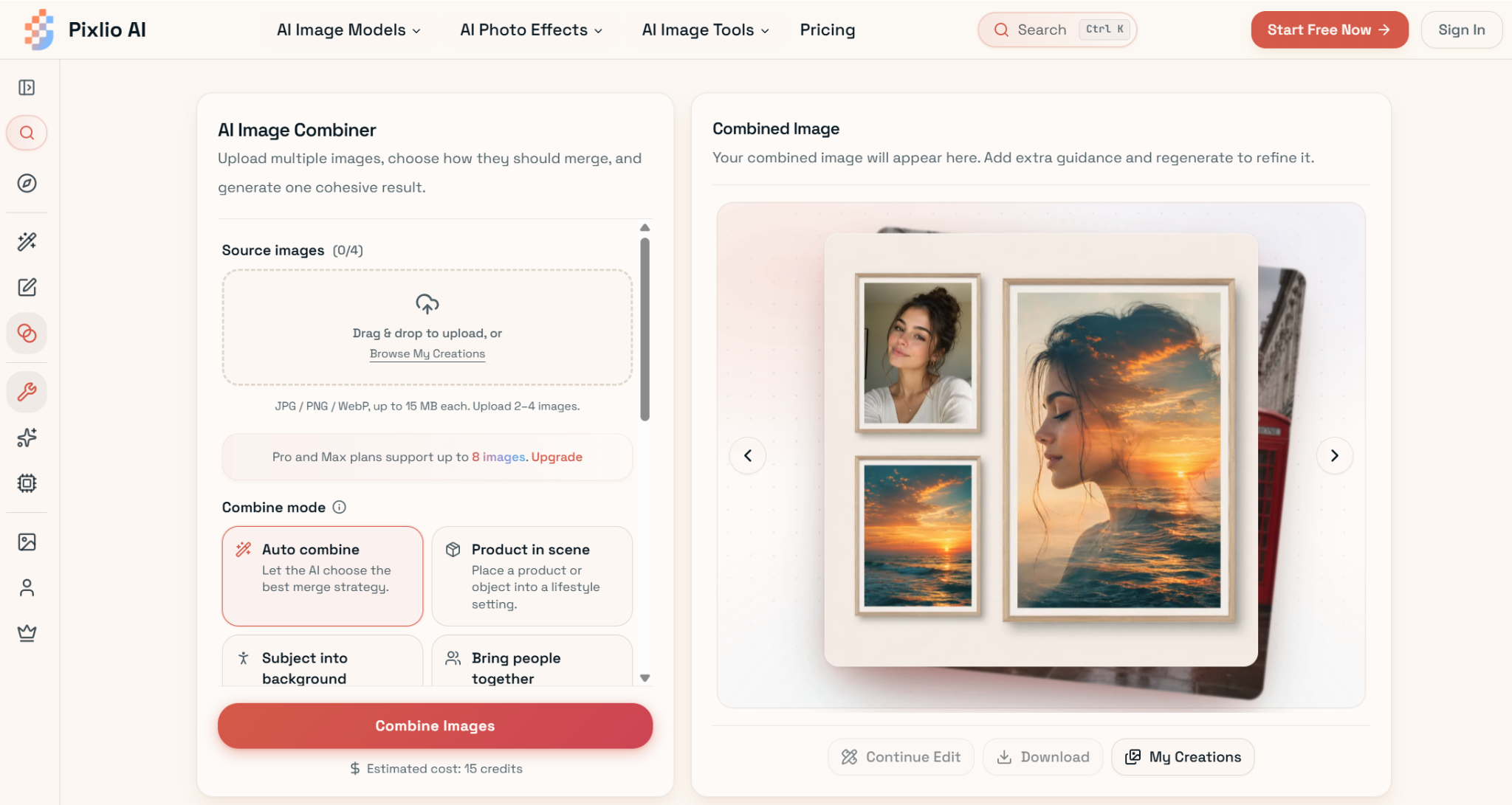
Pixlio’s AI image combiner is built around these common situations. Users can upload two to four images, while Pro and Max plans support up to eight. Instead of beginning with an empty prompt box, they can choose a guided mode such as Product in Scene, Subject into Background, Bring People Together, Auto Combine, or Creative Blend.
That small design choice matters. Someone creating an ecommerce mockup may know exactly which product belongs in which room but may not know how to describe lighting, scale, or perspective in prompt language. The selected mode gives the system a practical direction. An optional guidance field then lets the user clarify which image should supply the background, what details should remain unchanged, or how the final composition should be arranged.
The tool handles placement, lighting, shadows, scale, and edge blending during generation. Results can still vary, especially when source images contain small text, logos, or complex facial details, but the workflow removes much of the repetitive setup involved in manual compositing.
This can help with more than product advertising. Separate portraits can become a group image. A character can be moved into a new environment. Several visual references can be blended into an early concept for a campaign, game asset, or presentation.
Making one image work across different formats
Once a composition is ready, it often has to fit several placements. A website banner, product listing, square post, and vertical Story all need different proportions. Cropping is the quickest fix, but it can remove the subject or make the layout feel cramped.
AI outpainting takes a different approach. It expands the canvas and generates new surroundings outside the original image rather than stretching what is already there. The original image core stays in place while the tool fills the added area.
Pixlio includes target frames for vertical Stories, wide banners, square product images, portraits, and phone wallpapers. Users can also choose which sides to extend. That means a creator can add sky above a person, floor below a product, or open space beside a subject for a headline without expanding every edge.
The original image can be repositioned inside the new frame as well. This is useful when a subject needs to move away from the center so text, a logo, or another design element has room to breathe.
Outpainting is not always perfect on the first attempt. Large expansions, detailed backgrounds, and unusual lighting can produce visible seams or color shifts. The built-in before-and-after comparison makes those problems easier to spot. A one-click retry regenerates the expanded area without forcing the user to upload the image and rebuild the setup.
A practical two-step workflow
The two tools work especially well in sequence. A seller can combine a product with a lifestyle background, then adapt the finished image for a marketplace listing, a wide homepage banner, and a vertical ad. A creator can bring people from separate photos into one believable scene, then add extra space for captions or title text.
This kind of workflow does not replace careful design work. It reduces the technical preparation around it. Users still decide which sources belong together, whether the blend looks convincing, and which format suits the final placement.
For many everyday projects, that is the useful role of AI image editing. It gives people a faster way to reshape existing visual material without treating every new size, scene, or composition as a separate production job.