





















































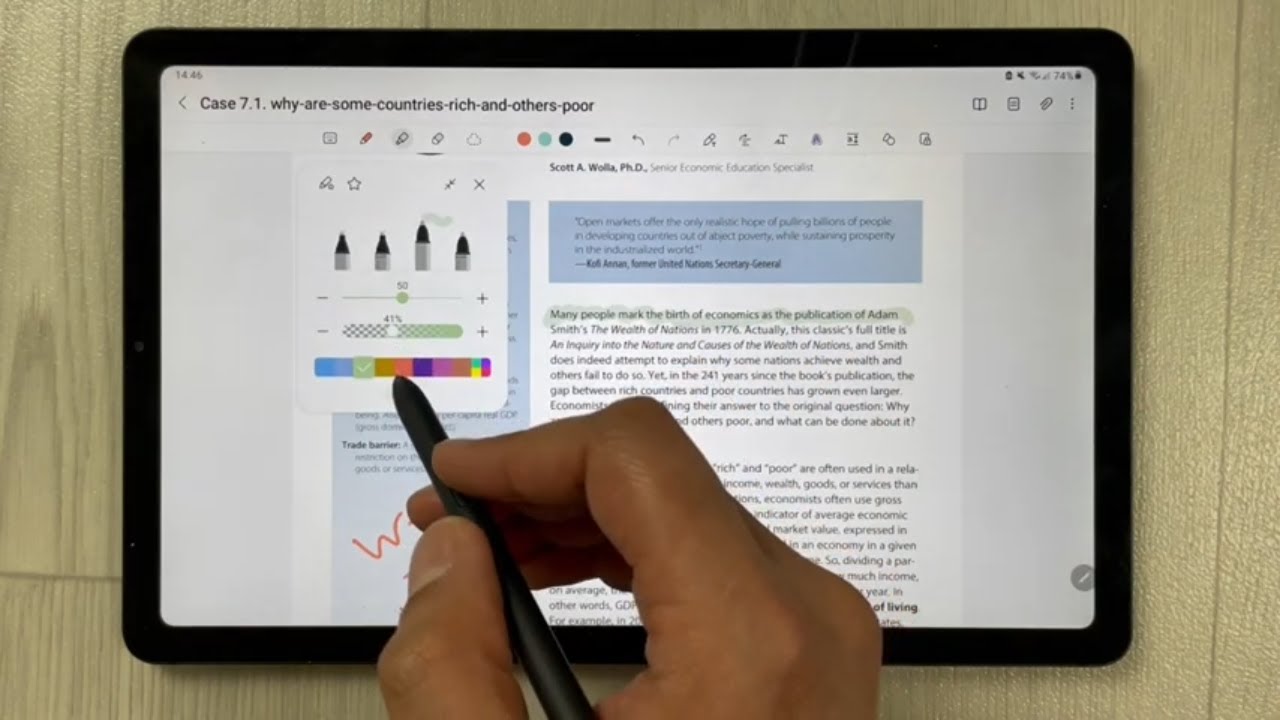
As a student, you will read several PDF files, presentation files, eBooks, academic journals, and many other types of documents provided to you by your lecturers. When you go through these documents, you can underline certain parts and make notes within them. Yet very few students ever return to their annotations later.
This is where almost everyone misses out. Those annotations you have made aren’t merely markings; they are the beginning of effective study notes, which, when created correctly, can help you to save your time, understand what you read better, and retain more information.


In this article, you’ll find a quick and efficient method to create great study notes from your PDF annotations.
Why PDF Annotations Alone Are Not Enough
Highlighting can make a person feel like they are actively studying and give a false sense of being knowledgeable. However, highlighting alone is not sufficient. Annotation is useful, but it remains a form of passive learning. To truly become knowledgeable, students need to turn their highlights into active learning by taking proper notes and make flashcards for better retention.
When one does nothing beyond highlighting:
- The information does not sink in sufficiently
- One quickly forgets it
- One finds revising difficult
What Makes Good Study Notes?
If your notes possess these qualities, there is no need to repeatedly go through the whole PDF. Let us first see what proper notes should be like before proceeding with the procedure.
Good study notes are:
- Simple and easy to read
- Written in your own words
- Organized clearly
- Focused on key ideas, not everything
- Useful for quick revision
Making Your Study Notes More Natural and Original
When you turn PDF annotations into study notes, the final version must sound like something you truly understand, not just copied or automatically generated text. After rewriting your highlights in your own words, you can also review them with an AI detector extension to check whether any part of your notes feels overly artificial or too generic.
This helps you refine the language, remove unnatural phrasing, and make your notes sound more human and personally written. The goal is not just to summarize information, but to ensure your notes reflect real understanding clearly and naturally.
Step-by-Step: Turning Annotations Into Notes
Let’s now go through the actual process. This is where you turn your highlights into something useful.
Start by Reviewing Your Annotations
Open your PDF file, and review all the highlighted parts. You do not need to copy all these parts; you only have to figure out why you marked these specific parts.
“Am I really reading something essential, or did I simply highlight this section randomly?”
Group Similar Ideas Together
After analyzing your marked portions, begin categorizing them. This will help make your notes organized and easy to revise.
Example:
- Definitions on one page
- Examples on another page
- Concepts on yet another page
Rewrite in Your Own Words
This is the most crucial step. Rather than copy-pasting the text from the PDF, you need to reword it using your own words. In doing so, you compel yourself to grasp the idea behind it.
For instance, rather than pasting an elaborate definition, you need to come up with a concise one. Your notes will become uniquely yours, which will make them easy to remember.
Keep Notes Short and Clear
Avoid writing long paragraphs. Your notes should be quick to read. The goal is to make revision fast and easy.
Use:
- Short sentences
- Simple language
- Clear points
Add Examples or Explanations
If something is difficult, add a small example or explanation in your notes. This helps you understand the topic better when you revise later. Even a simple real-life example can make a big difference.
Use Headings to Organize
Your notes must be well organized by dividing them up with headings. This ensures easy retrieval of notes and neat presentation as well.
Annotation vs Study Notes
This shows why converting annotations into notes is so important. Below is a simple comparison to understand the difference:
| PDF Annotations | Study Notes |
| Highlighted text | Rewritten content |
| Passive reading | Active learning |
| Unorganized | Structured and clear |
| Hard to revise | Easy to revise |
| Same as the original text | Personalized understanding |
Tools That Can Help You
Not all tasks do not necessarily have to be done manually. Indeed, some programs make this task more comfortable. This way, one could use PDF readers for exporting highlights from their texts. Programs are also available for the conversion of highlights to notes.
Another solution for handling highlights may be the use of note-taking software. The only thing that should be remembered is that any program is there to help us learn via rewriting.
Common Mistakes to Avoid
There are many errors students make while taking notes that can significantly decrease their usefulness. For example, some students highlight everything. It becomes difficult to distinguish what is essential when everything is highlighted. Some students may also copy texts directly without understanding them. They save time on the spot but spend more time revising later.
Other students make lengthy notes, defeating the purpose of easy revisions. Lastly, most people forget to go through their notes again. Notes are useless if not reviewed.
How to Make This a Habit
It should never be seen as extra work, but rather something that becomes an integral part of your study process.
This can be done easily by doing the following:
- Take 10 to 15 minutes to transform highlighted points into notes after going through a PDF file.
- Don’t wait until exams.
- Organize your notes.
Manual vs AI-Based Note Making
Many devices use AI technology to convert PDF files to notes. Although they can bhelp savetime, they are never accurate. It would be best to make use of both. Take advantage of AI, but ensure you edit your notes yourself.
| Manual Notes | AI-Generated Notes |
| Deep understanding | Fast but less personal |
| Better memory retention | May miss important context |
| Customized style | Generic output |
| Takes more time | Saves time |
Why This Method Works
Rather than having to read the same PDF repeatedly, you can just update your notes. This strategy is effective because it makes the process more active than passive.
If you:
- Revise
- Rewrite
- Organize
- You will absorb information more effectively.
This helps with:
- Memory
- Comprehension
- Exam results
Conclusion
Annotations on a PDF are merely the beginning of the learning process. It is only by converting the annotations to actual study notes that you will be able to benefit from what you have learned. Your highlighted texts and your own views and interpretations can help you create effective study notes that will benefit your studies. This method is not only fast but also more effective when compared with other methods of studying.
FAQs
Can I just highlight instead of making notes?
No, that would not be sufficient here. It requires restructuring the text by writing it anew.
How long should my study notes be?
The shorter the better; it is important to write concise notes that do not include all the information presented.
Are AI tools good for making notes?
Yes, but you should still review and make edits to your notes.
How often should I convert annotations into notes?
I would recommend doing it immediately after reading the PDF file.
What is the best format for study notes?
Short phrases and simple structure would suffice.
Can this method help in exams?
Certainly, it will make studying much easier and will positively affect your memory skills.