





















































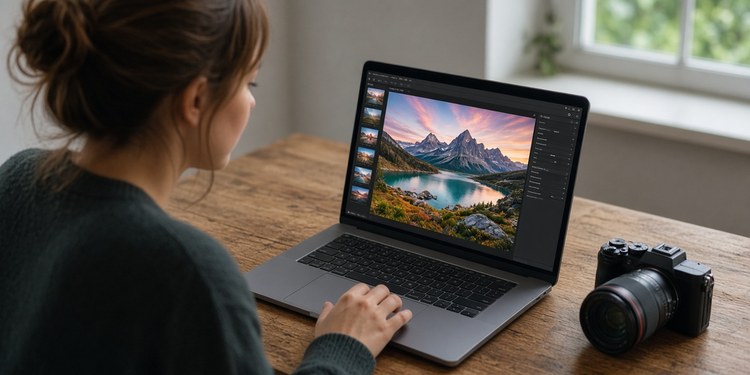
Your first photos don’t always turn out exactly as you imagined. Maybe the colors look dull, the lighting feels off, or a beautiful landscape lacks the depth you remember. A few thoughtful adjustments can make a real difference. You may think that it is not for you because you aren’t a professional photographer and have never edited pictures before, but the modern market provides various easy photo-editing software options designed specifically for newbies.
In this guide, we compare some of these options to help you find the one that fits your needs, budget, and photography goals.


1. Luminar: AI-Based Approach with Room to Grow
Luminar positions itself as a beginner-friendly photo editor with accessible AI tools for Windows and Mac. There is also a web version and dedicated mobile apps for iOS and Android. Its versatile toolkit fits many styles and genres. Luminar occupies the middle ground between automatic photo enhancement and more involved editing. It gives beginners a way to start with guided adjustments and gradually take greater control over their images.
The desktop version’s pricing plans range from ~$100 to ~$144, depending on whether you need the cross-device ecosystem or not. The web editor has a limited free version, but if you want additional tools and cross-device access, there are paid plans for ~$65–~$120. The prices and promotional offers vary regionally, so double-check the official website before purchasing.
| Pros | Cons |
|---|---|
| The program supports RAW files, giving beginners room to experiment with images captured in camera RAW formats. | The toolkit is really broad, so beginners might not need some features. |
| Luminar can work as a standalone editor or alongside supported photography applications. | The free web version is limited, and paid options might seem unaffordable for users with limited budgets. |
| Automatic enhancements work in a few clicks. | There might be performance lags on older devices, so double-check the system requirements. |
2. Ashampoo Photo Optimizer: Quick Improvements Without a Learning Curve
Ashampoo is the best photo-editing software for beginners who see that the picture looks genuinely bad, but have no time to figure out what exactly is wrong with it and how to fix it. This Windows software has algorithms that analyze photographs and adjust exposure, color temperature, sharpness, and contrast. The users don’t even have to know what each of these terms means, which makes Ashampoo especially convenient for casual photographers. The program is currently available for $15, but the promotional offers can change.
| Pros | Cons |
|---|---|
| Batch processing makes it convenient to enhance several photos in one session. | The editor works on Windows only; no dedicated Mac or mobile versions. |
| Adaptive sharpening and softening provide extra control over image clarity. | The toolkit is limited to optimization. If you want to experiment with creative edits, this editor is not for you. |
| Users can edit photos privately on their computers without having to upload images to external servers. | The file organization capabilities are weak. |
3. Movavi Photo Editor: Automating the Most Tedious Everyday Editing Tasks
Movavi combines everyday adjustments with more specialized automated features. It is the easiest photo-editing software for beginners who want to experiment with enhancement techniques beyond brightening and cropping but mastering them manually feels intimidating. They can use it to improve personal pictures, restore older images, or make creative changes without learning a complex workflow.
The pricing tiers include a yearly subscription (~$45/year) and a lifetime license (~$88). If you edit videos too, you can also subscribe to a photo editor + video suite bundle for ~$89/year. The exact price depends on your region. Movavi is available for Windows and Mac.
| Pros | Cons |
|---|---|
| More than 100 effects and filters for experimenting with different visual styles. | The free trial allows users to save only 10 images, and those images include a watermark. |
| AI restoration tools address scratches, stains, and creases in scanned old photos. | The program struggles to process large images. |
| Color correction tools and presets ensure polished and consistent looks. | Its desktop-focused editing workflow may not suit people who prefer editing on the go. |
4. Photo Pos Pro: Learning on Your Own Pace
If you know nothing about image editing but are ready to invest time and energy in self-development, Photo Pos Pro can be your learning platform. Its separate interfaces let users start with familiar operations and gradually explore a wider range of editing possibilities. You can begin with the basics and switch to pro-level tweaks whenever you feel ready. This Windows editor is available for free, but there is a premium lifetime license with extra tools for $34.90.
| Pros | Cons |
|---|---|
| Step-by-step help to introduce newcomers to common editing operations. | The software is incompatible with operating systems beyond Windows. |
| Advanced masking, layering, selective modifications. | Its extensive collection of tools and settings may feel overwhelming for users who only need basic tweaks. |
| RAW support and batch operations. | The premium option includes only one year of free updates. |
Conclusion
Photo editing is a helpful skill anyone can master. You don’t have to delve into complexities to make your photos look good. Explore the options available in this guide, experiment with free versions and trials, and maybe, just maybe, you will find a new creative passion in life. The world of photo editing awaits!

David Prior
David Prior is the editor of Today News, responsible for the overall editorial strategy. He is an NCTJ-qualified journalist with over 20 years’ experience, and is also editor of the award-winning hyperlocal news title Altrincham Today. His LinkedIn profile is here.