

















![5 Best CFD Brokers for Beginners [UK, 2026]](https://todaynews.co.uk/wp-content/uploads/2026/03/Invest-360x180.jpg)

































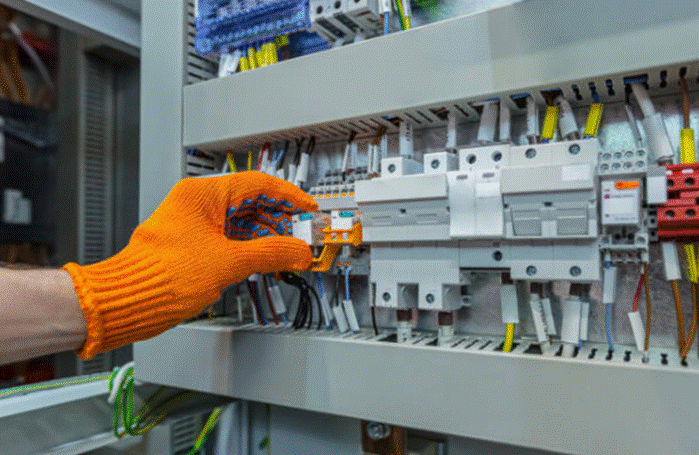
Most robot downtime stories follow the same frustrating pattern. The arm stops mid-cycle. The maintenance crew checks everything obvious — servo drives, cables, the controller itself. Two hours in, someone finally traces it back to a failing control transformer. Nobody expected it because nobody was thinking about it.
It happens more than manufacturers would like to admit. Robots depend on stable, clean power — not just at the motor level, but all the way down to the 24V feeding the PLC. Get that wrong and the faults start stacking up fast. Wrong voltage, dirty power, an undersized unit running hot all shift — any one of those can drop a robot cell without warning.


What follows is a practical breakdown of how to pick the right custom control transformer for a robot application. No fluff, just what actually matters when you’re specifying one.
What is a control transformer?
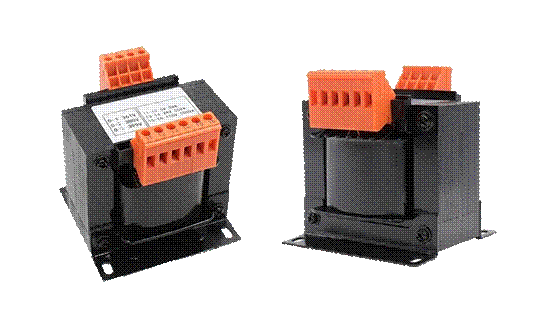
A control transformer takes incoming AC power at one voltage and steps it down to the lower voltage your control circuits actually need. Unlike the big power transformers that drive motors or whole production lines, control transformers handle smaller loads but they demand tighter voltage regulation and cleaner output.
Key components of a control transformer:
• Primary winding. connects to your incoming facility power
• Secondary winding. delivers power to your control circuits
• Core. silicon steel laminations that concentrate the magnetic field efficiently
• Enclosure. keeps dust, debris, and accidental contact away from the windings
• Terminals. where input and output wires connect
• Taps. extra connection points for fine voltage adjustments in the field
How do control transformers work?
Nothing exotic is going on inside. AC voltage hits the primary winding and creates a magnetic field through the core. That field reaches the secondary winding and induces a new voltage there. How much voltage? Entirely determined by how many turns each winding has. A 400-turn primary feeding a 20-turn secondary takes 480V down to 24V — every time, predictably.
Three things going on inside are worth knowing about:
• Magnetic isolation. The primary and secondary have no direct electrical connection between them. Only the magnetic field crosses over. So whatever happens on the supply side — a spike, a transient, a ground fault — doesn’t travel straight into your control circuit.
• Voltage regulation. Plant voltage wanders. It runs slightly high in the morning, drops under heavy load in the afternoon. A properly designed control transformer absorbs that variation and keeps its output steady — which matters a lot when you’re feeding a processor or a communications card.
• Material quality. The construction choices — winding material, core grade, insulation class — determine how the unit performs under real conditions. Copper runs cooler than aluminum at the same load. Better core steel means less heat generated per cycle. Higher insulation class means the transformer can take more thermal stress before the degradation starts.
Types of control transformers
Control transformers come in a few common configurations:
• Single phase. What you’ll see in the vast majority of robot control panels. Works with the standard control voltages — 24V, 48V, 120V — and covers most industrial applications without any special considerations.
• Three phases. Used when control power comes from a three-phase source or the control circuit itself requires three-phase power.
• Multi-tap. Includes extra connection points on the primary or secondary, allowing voltage adjustments to match real-world field conditions.
• Encapsulated. The windings are cast in epoxy resin, so moisture, cutting fluid mist, and vibration don’t reach them. If the transformer is going anywhere near a wet or dirty process, this is worth the extra cost.
• Open style. More affordable, but they need to be housed inside a control cabinet since the windings aren’t sealed.
For most robot applications, single-phase encapsulated or enclosed control transformers are the practical choice. They deliver clean, regulated power while standing up to the conditions inside a working robot cell.
Applications for control transformers in robotics
Control transformers show up in several places across a robot system:
• Robot controllers. The main control cabinet needs clean, stable power for its processor, memory, and I/O boards.
• Safety circuits. Emergency stops, light curtains, and safety relays cannot afford unstable power. Failure here creates real hazards.
• Human-machine interfaces. Touch screens and operator panels need consistent power to respond reliably.
• Peripheral equipment. Conveyors, part feeders, and vision systems tied to the robot also draw from control power.
Benefits of quality control transformers
• Reduced downtime. Stable power means fewer unexplained faults and less time chasing electrical gremlins.
• Longer equipment life. Clean power reduces stress on electronic components and extends service intervals.
• Better safety. Proper isolation and protection reduce shock and fire risks at the panel level.
• Easier troubleshooting. When you know the power supply is solid, you can focus fault-finding on the right places.
• Flexibility. Custom transformers handle unusual voltage requirements or tight dimensional constraints that off-the-shelf units can’t.
How to select and use a control transformer for your robot
There’s no mystery to this if you work through it step by step.
Step 1: Gather robot requirements
Pull up the robot’s documentation before doing anything else. You’re looking for three things: what voltage the control panel needs, how much power it draws in VA or kVA, and whether it runs on 50 Hz or 60 Hz. Those three numbers drive every decision after this.
Step 2: Calculate the total load
Going through every device the transformer will power and tally up the VA: robot controller, I/O modules, sensors, safety relays, the HMI panel, anything auxiliary. Once you have that number, add 20–30% on top. Relays and motors draw a surge when they first kick on — sometimes three to five times their running current — and that spike needs to be absorbed without tripping protection or dragging down voltage. An 800 VA running load means you want a transformer rated at 1,000 VA or better.
Step 3: Match voltage requirements
On the primary side, the transformer has to match whatever your facility runs — 240V, 480V, or 600V are the common options. On the secondary side, match what the control circuit actually uses: 24V for PLCs and most sensors, 120V for older relay-based logic and contactors. If your robot uses something non-standard, or if you need two different output voltages from one unit, a custom transformer handles that without any workaround.
Step 4: Consider the installation environment
Spend five minutes thinking about where this transformer is actually going to live. Inside a packed panel surrounded by drives and power supplies? Temperatures in those enclosures can get surprisingly high — Class F (155°C) or Class H (180°C) insulation is the safer choice when airflow is limited. While you’re at it, measure the available space. A custom-dimensioned unit often costs less headache than trying to shoe-horn a standard frame into a panel that wasn’t designed for it.
Step 5: Choose winding material
Copper costs more upfront, full stop. But it runs at lower temperatures for the same load, handles the occasional overload without cooking, and generally lasts longer in continuous-duty environments. For a robot running two or three shifts, that matters. Aluminum is a reasonable option for equipment that sits idle part of the day — just make sure the terminal connections are torqued and re-checked periodically, since aluminum expands and contracts more than copper and connections can work loose.
Step 6: Verify frequency compatibility
Don’t assume. If your facility runs 50 Hz and the transformer was specced for 60 Hz, you’re going to lose usable capacity and the unit will run warmer than it should. The frequency needs to be correct from the start — it’s easy to get right at the spec stage and genuinely annoying to deal with after installation.
Step 7: Check protection features
Thermal protection — whether a built-in thermostat or a thermal fuse — gives you a safety net if the transformer gets overloaded or the panel overheats. Primary-side fusing needs to be sized correctly for the transformer rating, not just whatever was convenient. And if the robot controller includes noise-sensitive boards, ask about an electrostatic shield between the windings. It’s a relatively minor addition that can save a lot of intermittent faults chasing down the road.
Step 8: Select terminal types
Screw terminals are reliable and accept a range of wire sizes — solid for permanent installations. Cold-pressed terminals speed up wiring and produce consistent connections. Either way, metal terminal guards are worth including; they prevent accidental contact and are straightforward to justify from a safety standpoint.
Step 9: Plan for future needs
Robots get upgraded. Control systems grow. Production lines change. The 20–30% margin you built in during sizing also covers modest future additions. If expansion is likely, ask about transformer taps — they let you adjust output voltage for long wire runs or when plant voltage consistently runs high or low.
Summary
None of these steps are complicated on their own. The process just requires doing them in order and not skipping the ones that feel obvious. Know your load, size with margin, match both voltages, account for where the unit is going, pick the right winding material, get the frequency right, and make sure protection is covered.
Going custom gives you the flexibility to get all of that right rather than settling for whatever’s in stock. The transformer is a small line item relative to the robot it’s protecting. It’s worth spending the time to get the spec right the first time.
















![5 Best CFD Brokers for Beginners [UK, 2026]](https://todaynews.co.uk/wp-content/uploads/2026/03/Invest-120x86.jpg)