






















































Rail passengers are being warned that plugging their phones into onboard charging sockets could be the reason their devices start lagging, glitching, or even behaving as if they have a mind of their own.
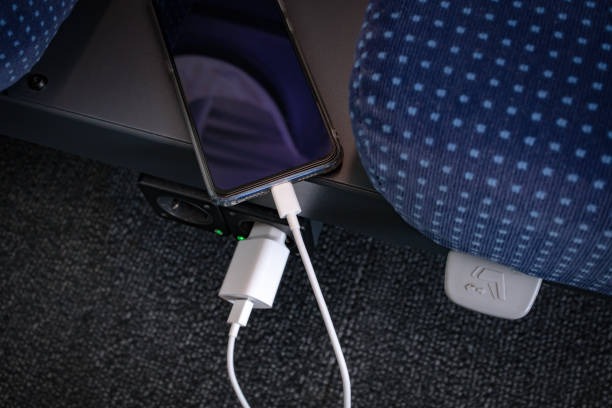
Screens can register so-called “ghost touches”, suffer erratic typing or suddenly slow down, issues that commuters have long reported when charging their phones on trains.


Now travel expert Neil Atkinson, owner of Luxury Group Stay, says the problem often lies with the train’s power supply, not the phone itself.
“Most travellers assume a plug socket on a train works the same way as one at home,” Atkinson said. “But onboard power systems are very different, and in some cases they can interfere with how modern smartphones operate.”
Modern trains generate electricity using inverter systems that convert DC power to AC for passenger sockets. But that process can produce what experts describe as “electrical noise” or electromagnetic interference (EMI).
Traction motors and onboard power converters generate interference that can disrupt the highly sensitive components inside a smartphone – particularly its capacitive touchscreen.
While reports span multiple operators, some of the most notable complaints online concern the Class 80x fleet, used by several UK operators, including London North Eastern Railway (LNER).
Passengers discussing the issue on online forums have suggested the problem has been noticeable since the trains were first introduced.
One Reddit user wrote: “It’s so annoying, it’s been happening since the trains were introduced. The best thing to do is plug it in and leave it. If you need to use it, unplug it. Annoying, but it doesn’t look like there’s gonna be a fix soon.”
Another commenter noted that the issue may not be limited to a single fleet, adding: “This isn’t just a problem on the Class 80x trains – it seems to happen more on them, but other trains (e.g. the Class 395s) also experience this when powered from 25kV AC. It doesn’t happen on 750V DC or when running on diesel. Apple devices also seem more susceptible to this anecdotally.”
A further user suggested the electrical systems on certain units may generate higher levels of interference: “The 80x class trains are quite electrically noisy. This then messes with your phone’s capacitive touchscreen. Instead of using the USB sockets, use a good quality mains power supply, but you’ll still get the issue a little. This also happens on Avanti Class 390 units in the pantograph coach that was added mid-life.”
Unlike physical buttons, capacitive touchscreens detect tiny changes in electrical charge across the screen surface. If “noisy” power is introduced through a charging cable, it can alter that charge and cause the software to detect false touches.
Atkinson also pointed to voltage instability as a key factor.
“The voltage from train outlets can fluctuate and may not be filtered as effectively as household electricity,” he said. “That compromises the phone’s internal power management system.”
As a result, passengers may notice:
- Lagging apps
- Slow or inconsistent charging
- Battery percentages barely increasing
- Repeated charging disconnects
- Erratic typing or screen behaviour
Cheap or poorly shielded USB cables can make matters worse, as they fail to block electrical interference and pass it straight into the device.
Occasional charging on a train is unlikely to destroy a phone outright.
However, repeated exposure to unstable power, combined with excess heat, may gradually degrade battery efficiency and performance.
“It’s unlikely to cause immediate damage,” Atkinson said. “But over time, unstable charging and overheating can impact battery longevity.
“Phones already work harder on trains due to constant signal switching at high speeds, and charging under those conditions can increase heat which is one of the biggest factors in long-term battery wear.”
With digital tickets and mobile boarding passes the norm in everyday travel, Atkinson insists that preparation is key.
He advises rail passengers to:
- Unplug the phone immediately if the screen starts glitching
- Use a high-quality, properly shielded cable and wall adapter
- Avoid relying solely on built-in USB ports
- Carry a portable power bank for more stable charging
- Reduce heavy app use while charging

David Prior
David Prior is the editor of Today News, responsible for the overall editorial strategy. He is an NCTJ-qualified journalist with over 20 years’ experience, and is also editor of the award-winning hyperlocal news title Altrincham Today. His LinkedIn profile is here.